A shoebox at month-end
Bills, bank statements and UPI screenshots wait for the weekend, and the weekend never comes.
Three months of entries to do before the GST return.

Your invoices, payments, bills and expenses become journal entries as you work. Add manual entries when you need them, reconcile the bank from its CSV statement, and see every ledger and a trial balance that balances, without a single entry typed twice.
Sign-ups open November 2026 · 14-day free trial · No card needed to start
Bookkeeping software records the day-to-day money of a business, sales, purchases, receipts, payments and expenses, in a chart of accounts, so balances are current and your accountant can prepare statements and returns without rebuilding anything.
PikZiy Books does the recording from your billing and turns it into double-entry books on Business.
Bills, bank statements and UPI screenshots wait for the weekend, and the weekend never comes.
Three months of entries to do before the GST return.
The bank balance in the books is not the bank balance in the app. Nobody knows which payment is missing.
₹2,000 out somewhere between 250 transactions.
An old entry is changed to make the numbers fit. Next year nobody can tell what happened.
Last March's figures no longer match the filed return.
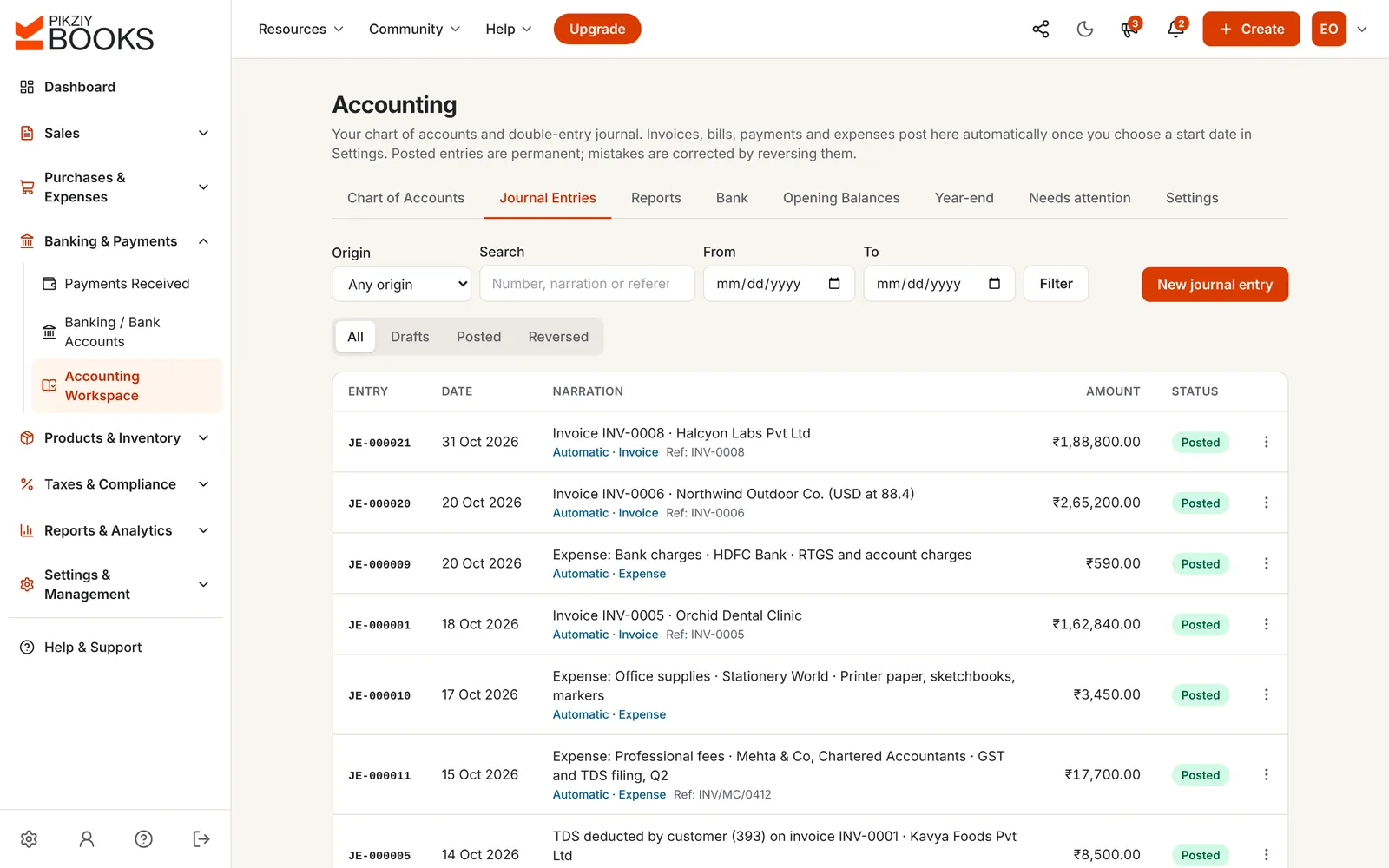
Screenshots of the real app with a sample business, Ember & Oak Studio in Pune.
Each invoice, payment, bill and expense posts its journal entry, marked Automatic with a link back to the record. Filter by origin, search by narration or reference, and pick dates.
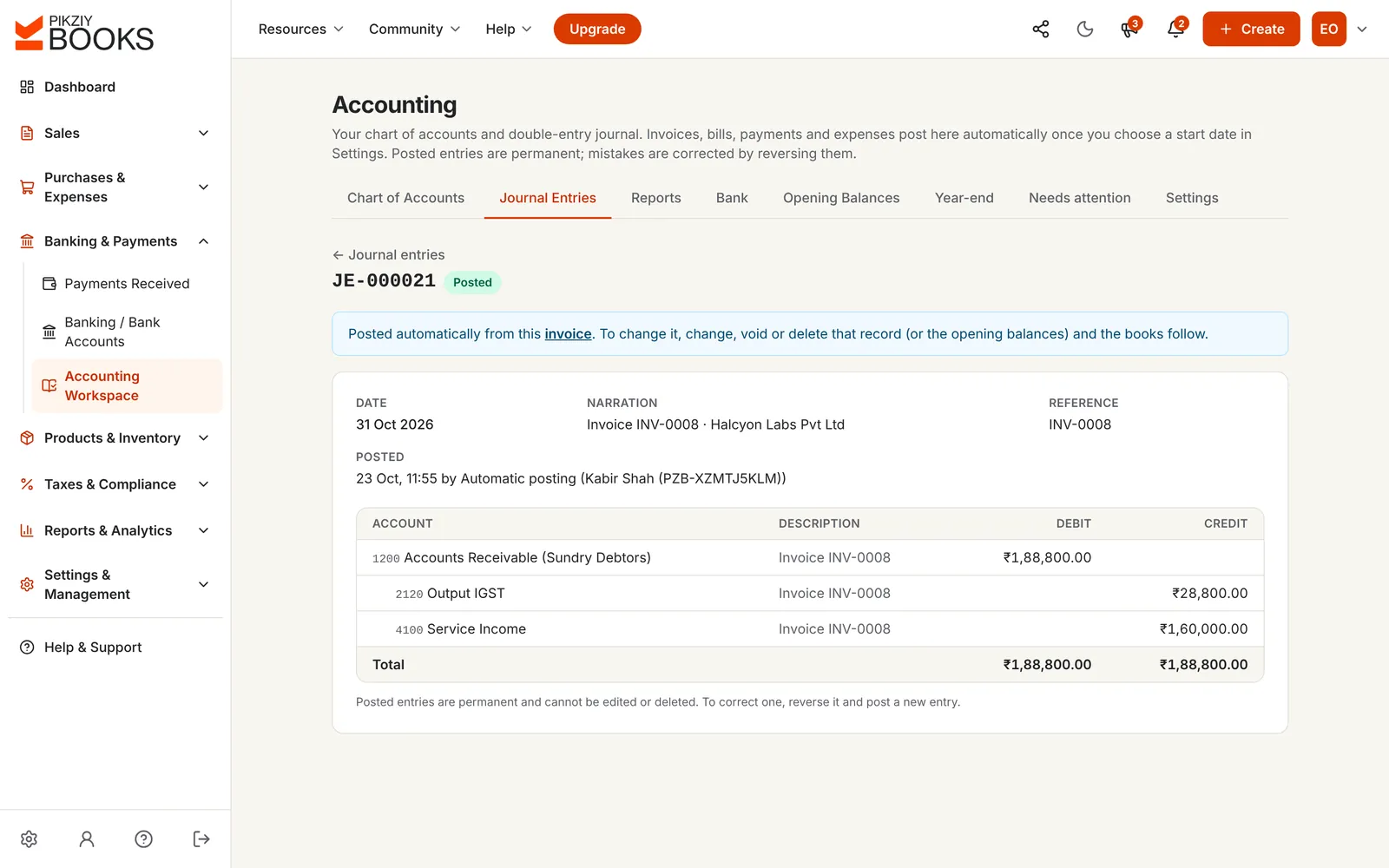
Add lines with accounts, debits and credits. Post only when they balance; save a draft to finish later; reverse with a reason if something was wrong.
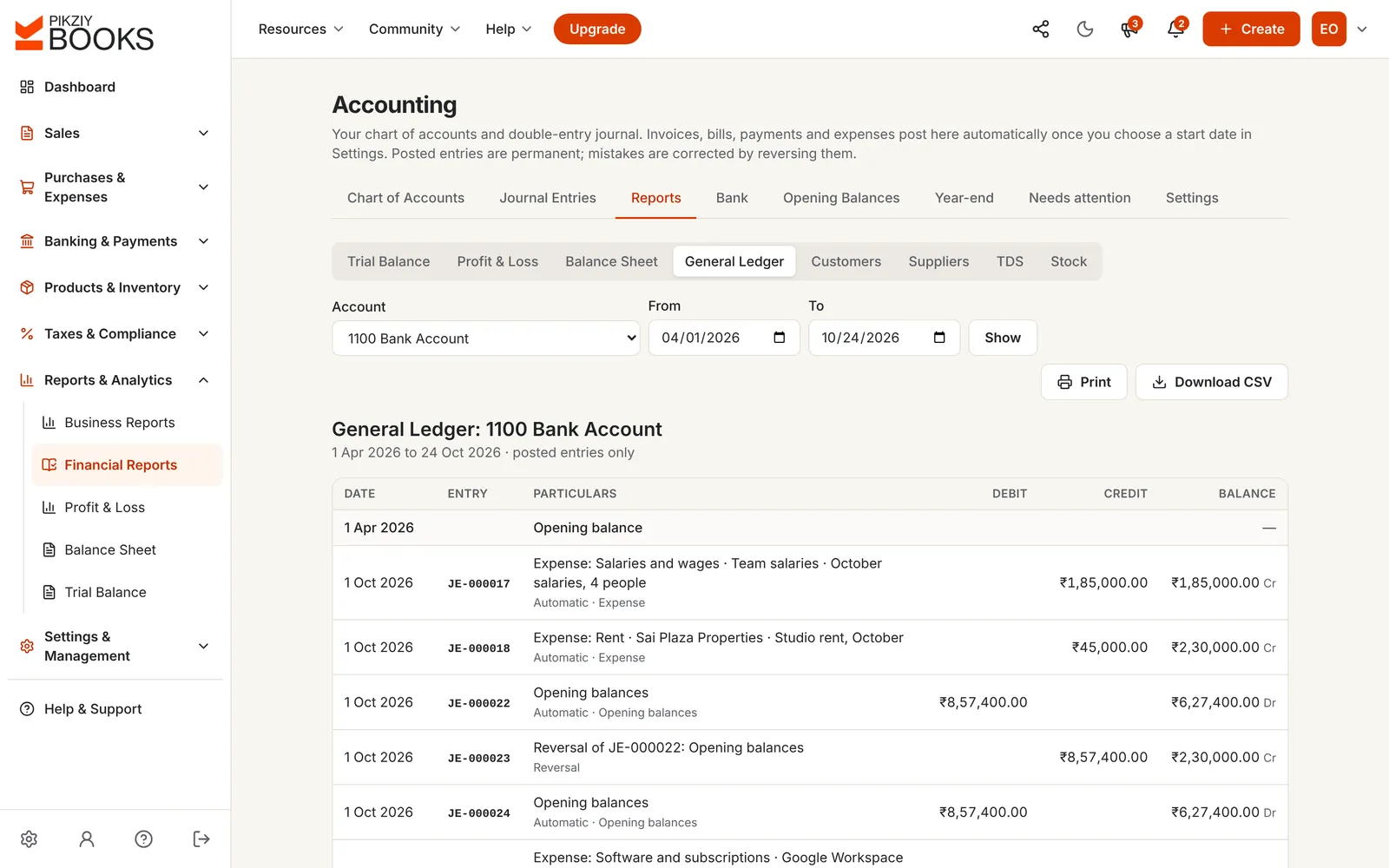
The general ledger shows any account between any dates with the opening balance and a running balance. Customer and supplier ledgers do the same for each party.
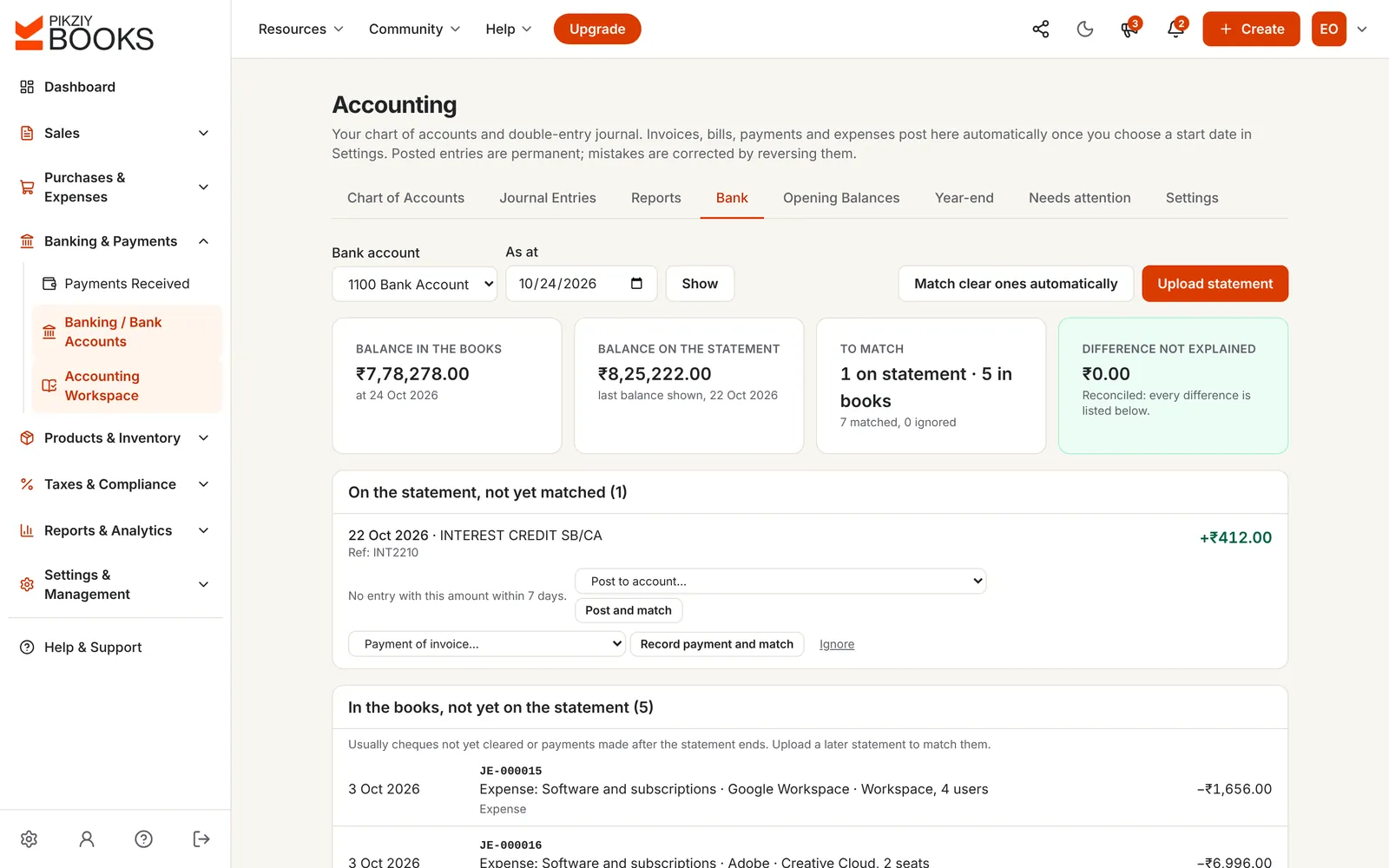
Upload the bank's CSV statement and match each line with your books. Clear matches happen automatically; interest and charges post to an account in one step.
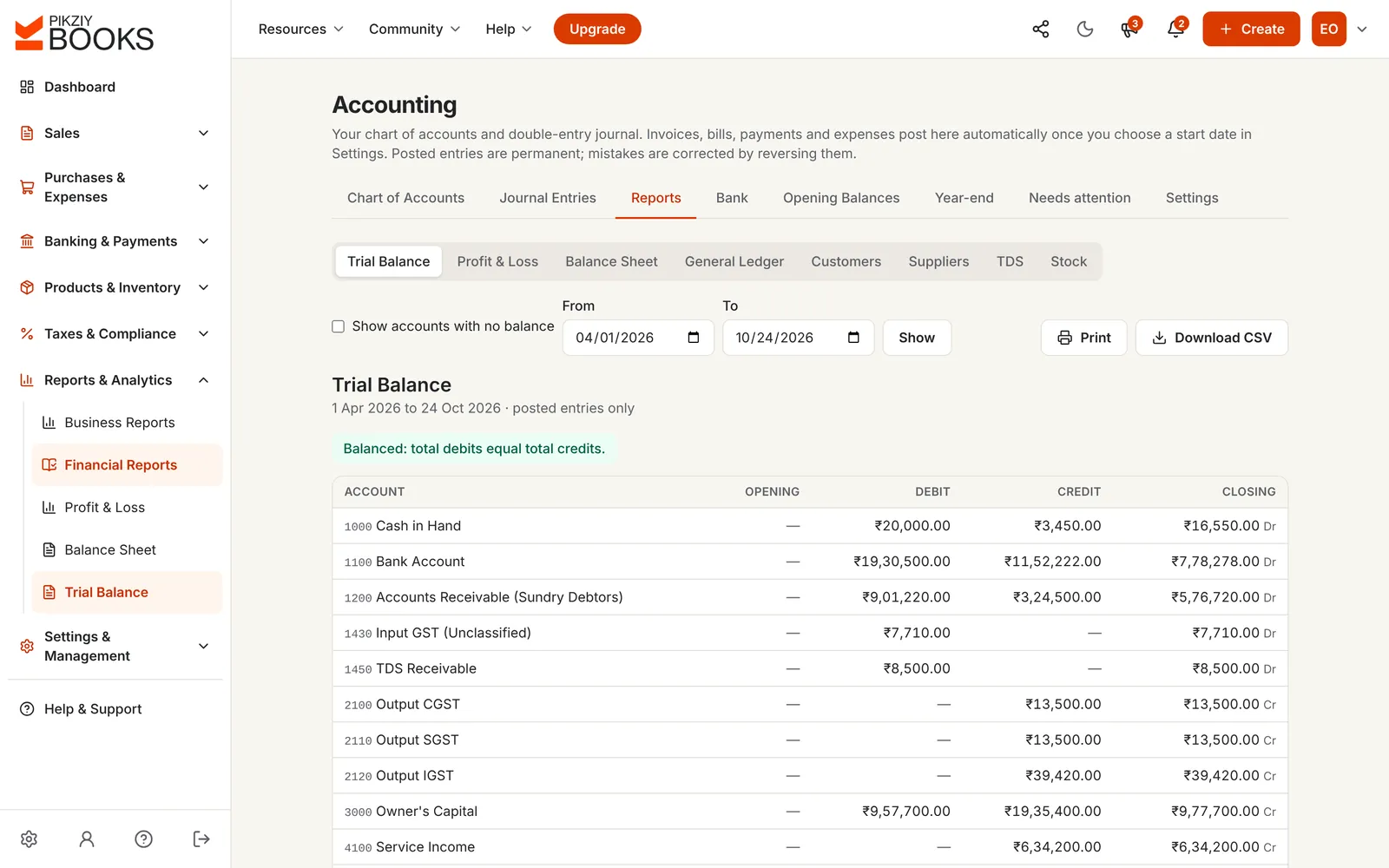
Opening, debit, credit and closing for every account, with a check that debits equal credits, ready for the profit and loss and the balance sheet.
Enter the balance in your books and on the statement, then the cheques, deposits, charges and interest one side knows about and the other doesn't. See whether everything is explained.
₹0.00
Every difference is explained. Record the charges, interest and receipts in your books. Nothing you type is saved.
Keep it tidy: reconciling bank statements and a monthly bookkeeping checklist.
| Excel cash book | PikZiy Books | |
|---|---|---|
| Sales and purchases | Typed in from invoices | Posted from the invoices and bills |
| Double entry | One column, if any | Debits and credits, always balanced |
| Bank reconciliation | Ticked off by hand | Matched from the CSV statement |
| Corrections | Overwritten | Reversed, with a reason |
| Ledgers | A pivot table | General and party ledgers |
| Closed months | Anyone can change them | Locked by an owner or admin |
Invoices, credit notes, payments and receipts.
By category, with repeating ones.
Growth plan and aboveLine by line or as a total.
Business plan and aboveFrom every record, kept in step.
Business plan and aboveDrafts, posting and reversals.
Business plan and aboveStart on any date.
Business plan and aboveAny account, any dates.
Business plan and aboveEach party's account.
Business plan and aboveFrom your bank's CSV.
Business plan and aboveChecked to balance.
Business plan and aboveRecords waiting to post, with the reason.
Business plan and aboveMonths that can't change.
Business plan and aboveDay-to-day recording works on every plan. Double-entry books start on Business.
| Feature | Starter | Growth | Business | Enterprise |
|---|---|---|---|---|
| People who can sign in | 1 | 3 | 10 | 20 |
| Sales, receipts and payments | Included | Included | Included | Included |
| Expenses and reports | Not included | Included | Included | Included |
| Supplier bills | Not included | Included | Included | Included |
| Journals, ledgers and trial balance | Not included | Included | Included | Included |
| Bank reconciliation and period locks | Not included | Included | Included | Included |
Every plan has unlimited invoices, customers and items, and starts with a 14-day free trial. Prices are on the plans page, paid monthly or yearly. Businesses that sign up from 1 November 2026 to 30 April 2027 and pay for a year get 18 months for the price of 12. Compare every feature
Bookkeeping software records a business's day-to-day money: sales, purchases, payments, receipts and expenses, in a chart of accounts, so the balances are always up to date and the accountant can prepare statements and returns from them. Bookkeeping is the daily recording; accounting is what is done with the records.
Only what you already do: issue invoices, record payments when they arrive, add expenses and supplier bills. On Business, each of these posts its own double-entry; manual journal entries are needed only for things like loans, depreciation or adjustments.
Open Accounting, then Journal Entries, and add lines with accounts, debits and credits. A live difference counter shows when it balances; only then can it be posted. Save it as a draft to finish later. Posted entries get the next number, such as JE-000025, and are permanent.
Reverse it. Reversing asks for a date and a reason, posts a mirror entry with every debit and credit swapped, and links the two, so the history shows what happened and why.
Three ways: the trial balance shows whether total debits equal total credits; the bank reconciliation explains every difference between your books and the bank statement; and party ledgers show each customer's and supplier's balance to compare with theirs.
A check that your books and your bank statement agree, explaining the differences: cheques not yet cleared, deposits not yet credited, and charges or interest the bank recorded first. The calculator on this page builds one, and PikZiy Books does it from your bank's CSV statement.
Yes. The general ledger shows every entry in any account for any dates with a running balance. Customer and supplier ledgers show each party's account, with opening balances.
Records that couldn't post to the books yet, for example an invoice in dollars waiting for its exchange rate. They work normally as invoices or bills; fix the reason and they post straight away.
Yes. Invite them with the Accountant role. They can record payments, expenses and bills, add journal entries, enter opening balances and reconcile the bank. Locking periods and closing the year are kept for owners and admins.
Recording sales, payments and receipts works on every plan, and expenses and reports from Growth. Double-entry books, journals, ledgers and bank reconciliation are on Business and Enterprise.
PikZiy Books opens for sign-ups in November 2026. Join the waitlist and we will tell you the day you can start.
Join the waitlist