“Yes” on WhatsApp, and nothing on paper
The client says go ahead in a voice note. Three weeks later, the scope and the price are remembered differently.
The quote said two rounds of revisions; the client remembers unlimited.

Write a GST quotation in minutes, send a link your client can accept on their phone by typing their name, and see who has opened, accepted or let a quote expire. When they say yes, one click turns the quote into an invoice.
Sign-ups open November 2026 · 14-day free trial · No card needed to start
Quotation software helps you write a clear price offer, send it to a client, and track whether it was accepted. The best kind lets the client accept online and turns the quote into an invoice, so the price you agreed is the price you bill.
In PikZiy Books, quotes and estimates live alongside your invoices, with the same customers, items and taxes, so nothing is typed twice.
The client says go ahead in a voice note. Three weeks later, the scope and the price are remembered differently.
The quote said two rounds of revisions; the client remembers unlimited.
Ten quotes went out this month. Which ones were opened, which expired, and which should you call about today?
A ₹1,00,300 brand identity quote sits unopened in a spam folder for a fortnight.
Lines, prices, taxes and terms are copied from the quote PDF into a new invoice, with a typo or two.
₹1,20,000 on the quote becomes ₹12,000 on the invoice, and your CA spots it in GSTR-1.
Screenshots of the real app with a sample business, Ember & Oak Studio in Pune.
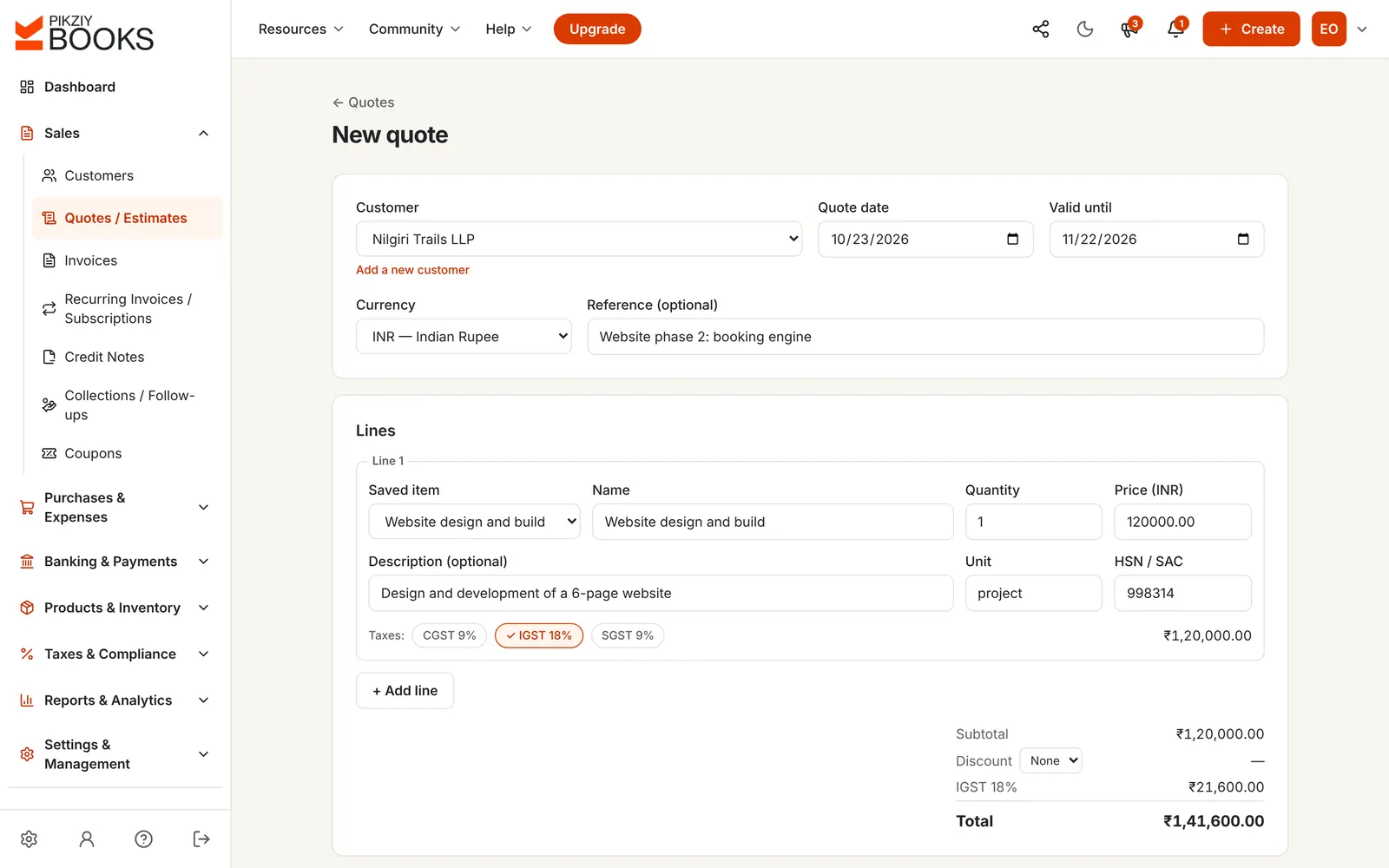
Choose the client and saved items, or type new lines. Each line can carry its HSN or SAC code and GST. Add your terms: what is included, revisions, payment stages.
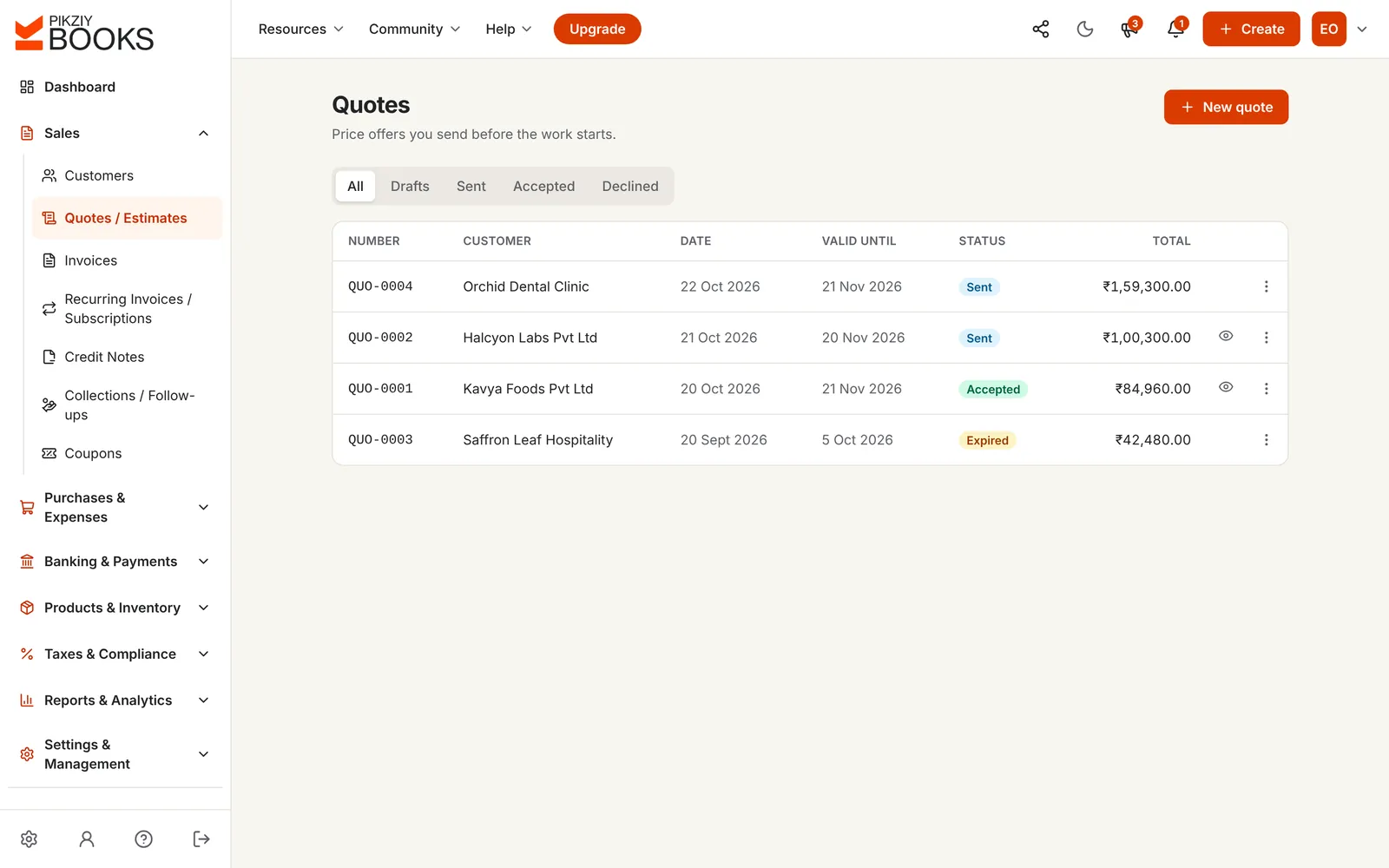
Email it from PikZiy Books or share its link on WhatsApp. The quote list shows each one as Sent, Accepted, Declined or Expired, with an eye icon once the client has opened it.
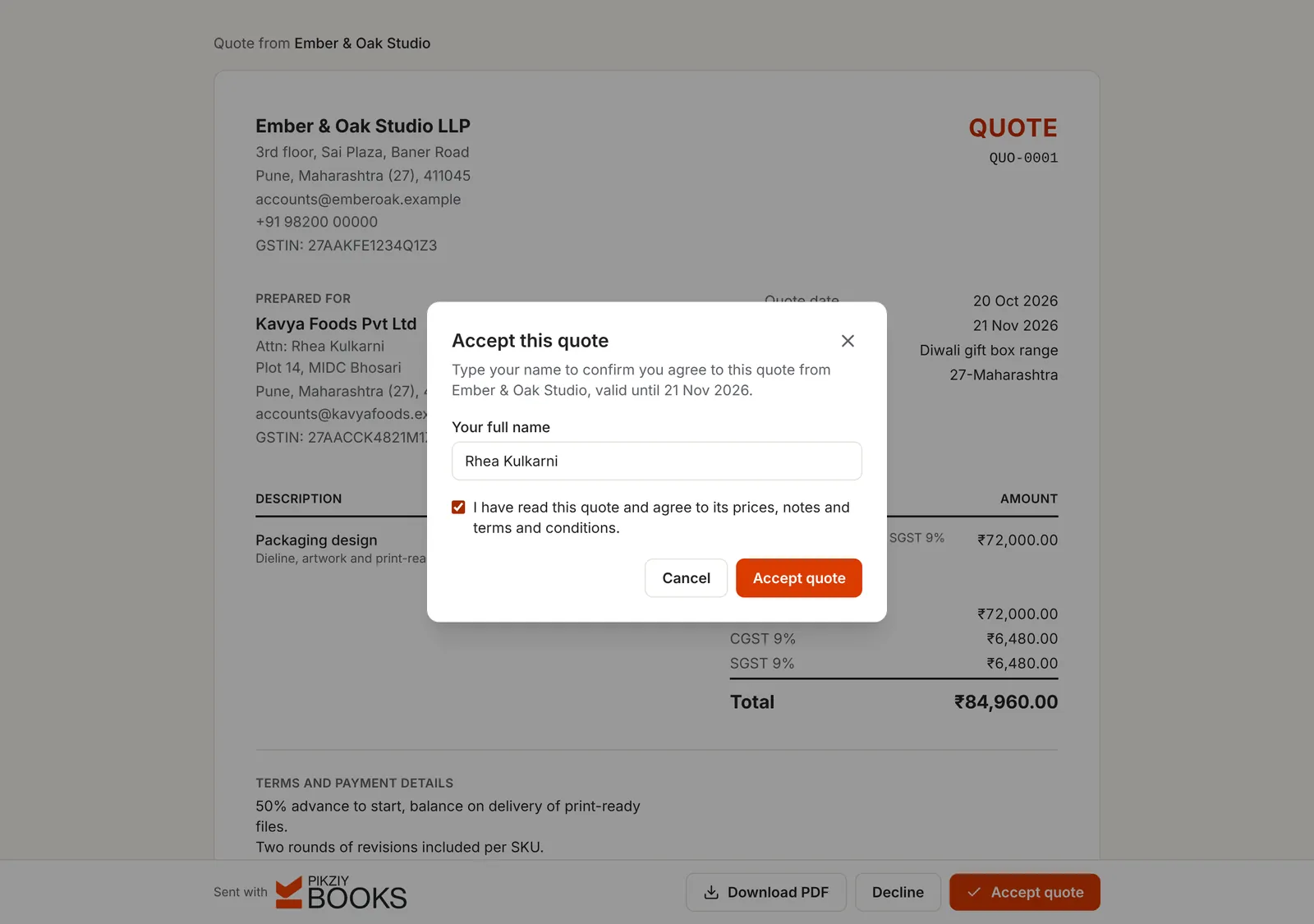
Your client opens the quote with no account, downloads the PDF if they like, and accepts by typing their name and ticking that they agree to the prices, notes and terms. They see at once that you have been told. Declining works the same way.
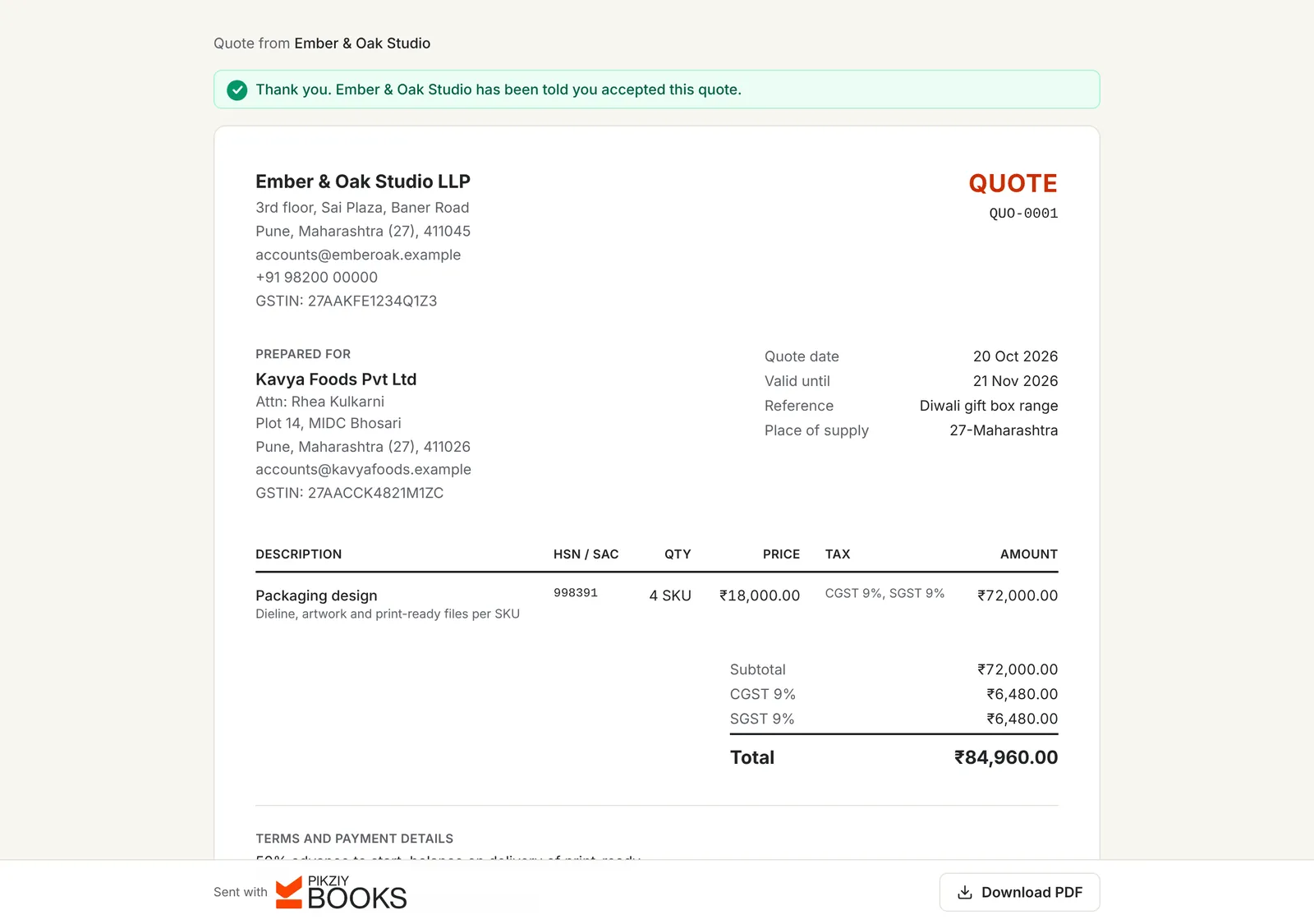
The quote shows Accepted or Declined, and when it was last viewed. If a client changes their mind before you start, reopen the quote, or mark it accepted yourself when they agree by phone.
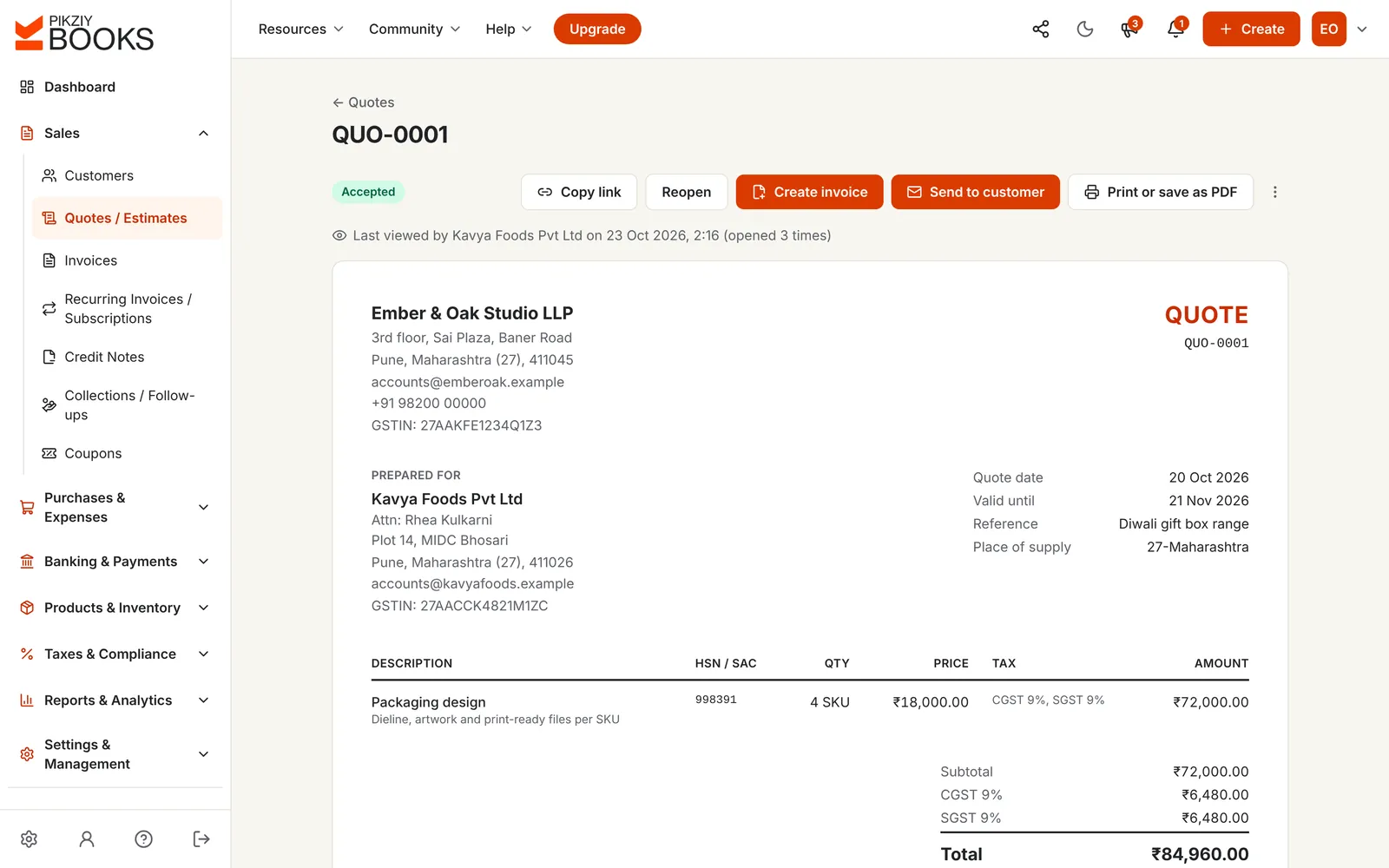
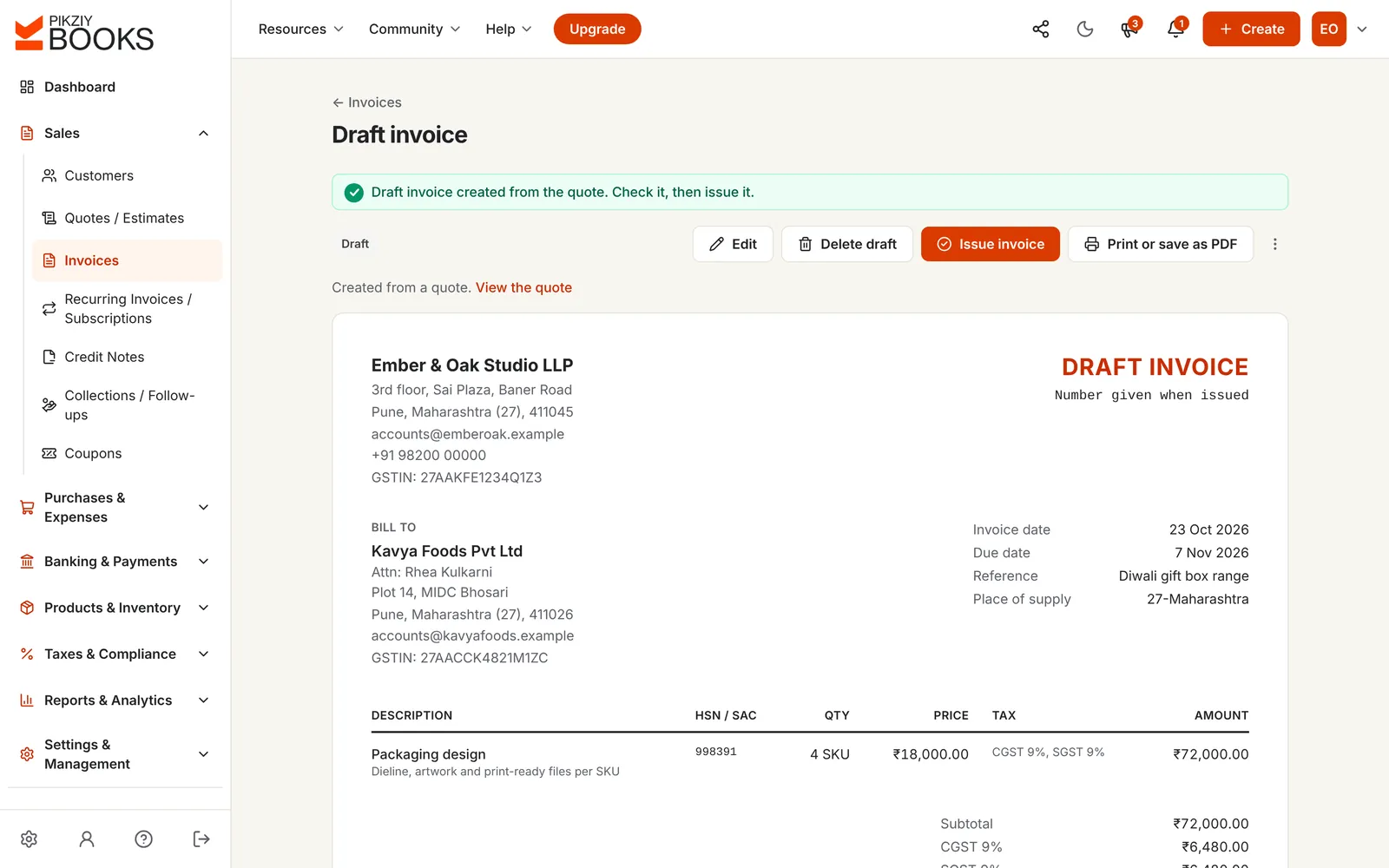
Create invoice turns a sent or accepted quote into a draft invoice with the same lines, taxes, reference and terms, linked back to the quote. Edit it for an advance or a stage payment, then issue it.
Enter the fee and how it is split, such as an advance, a payment on approval and a final payment. See the quote total with GST and the invoice for each stage.
| Invoice for each stage | With GST |
|---|---|
| Advance, to start40% · ₹60,000.00 + GST ₹10,800.00 | ₹70,800.00 |
| On design approval40% · ₹60,000.00 + GST ₹10,800.00 | ₹70,800.00 |
| On delivery20% · ₹30,000.00 + GST ₹5,400.00 | ₹35,400.00 |
For services, GST on an advance is due when you receive it, so issue a receipt voucher for the advance. Tax is rounded to the paisa on each invoice. Nothing you type is saved.
For terms that get paid: how to bill clients for website design and a freelance invoice that gets paid on time.
Being written. No number yet, and never seen by the client.
Finalised with a number. The client can open, accept or decline it from its link.
The client typed their name and agreed, or you marked it accepted. Ready to invoice.
The client said no, with their name. Reopen it if the conversation starts again.
The valid-until date has passed without an answer. Duplicate it with a new date to send again.
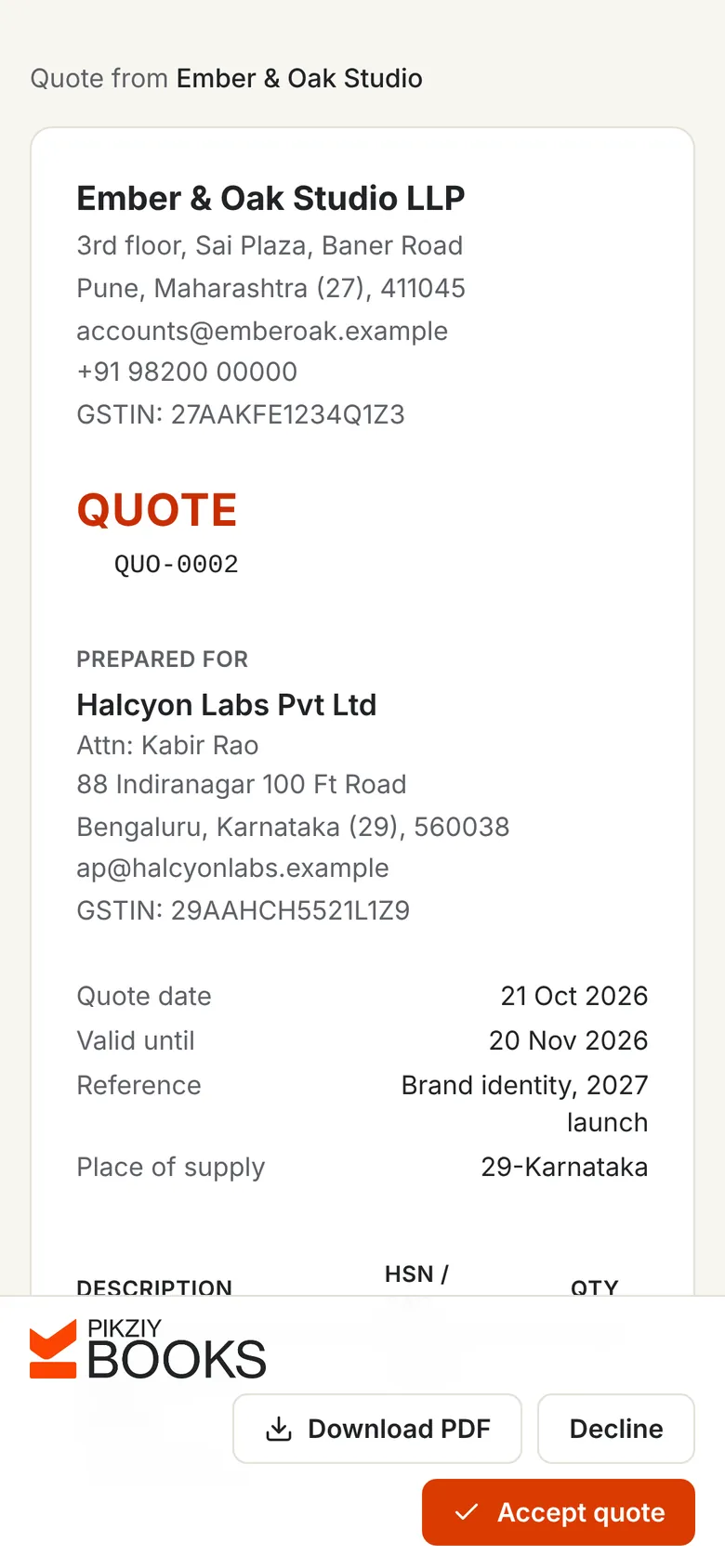
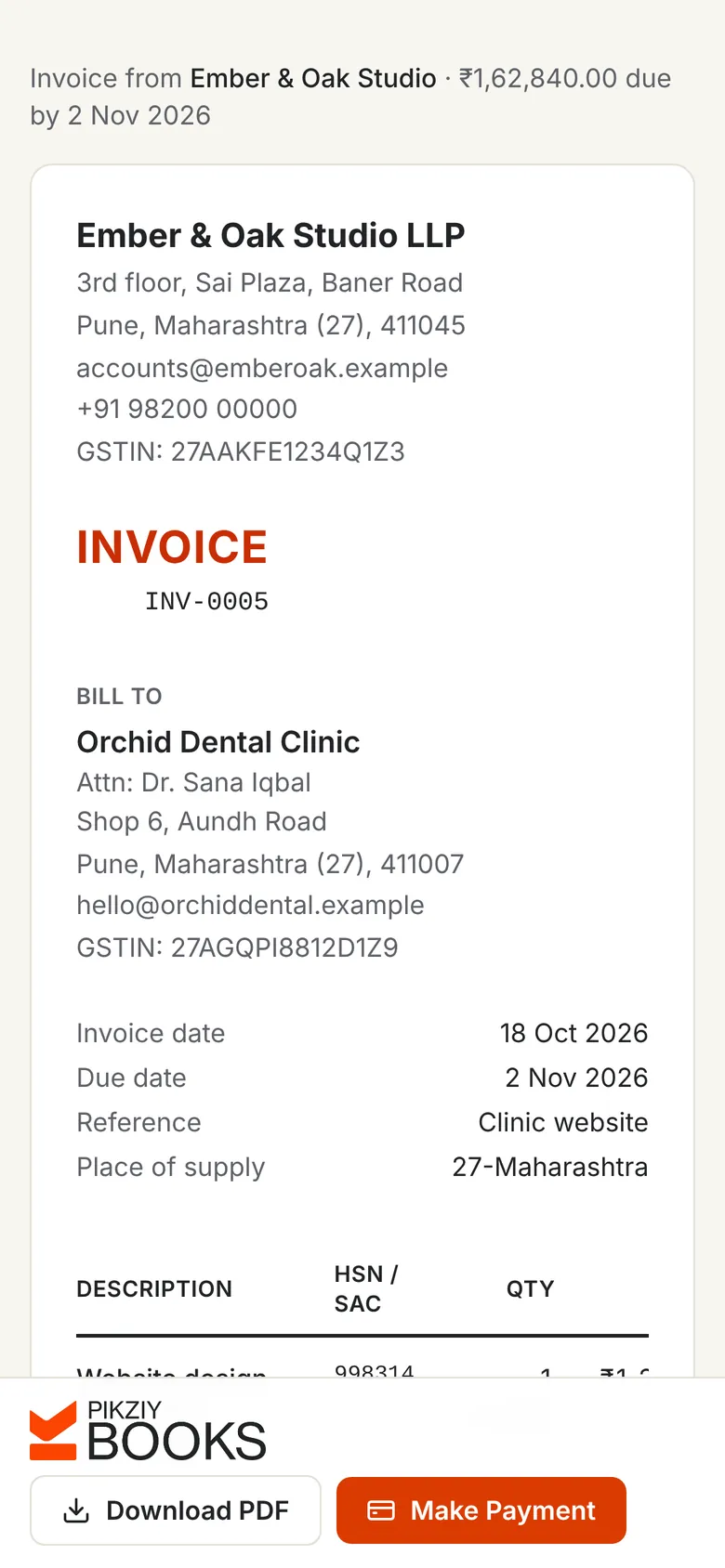
Most quotes are opened from a WhatsApp message. The link opens a clean quote with Download PDF, Decline and Accept quote within reach of a thumb, and accepting takes a name and one tick.
No login, no app, no printing and scanning a signed copy.
| Word or PDF quote | PikZiy Books | |
|---|---|---|
| Client accepts | By email or a signed scan | Online, with their typed name |
| You know it was opened | No | Yes, with how many times |
| Expiry | Written on it, easily missed | Shown as Expired, can't be accepted |
| GST worked out | By hand | On each line, checked against the state |
| Becomes an invoice | Typed again | One click, linked to the quote |
| All quotes in one list | In folders and inboxes | Sent, accepted, declined and expired |
HSN or SAC codes, CGST and SGST or IGST, and cess on each line.
Set a default number of days; quotes expire on their own.
Typed name and agreement, recorded with the time.
Know when a quote was opened, and how often.
A draft invoice with everything copied, linked to the quote.
A separate series and prefix for quotes.
Reuse a quote for a new client, or reopen an answered one.
Quote clients abroad in dollars, euros or pounds.
Send it any way your client prefers.
Discount codes with limits and end dates, on quotes and invoices.
Business plan and aboveNo PikZiy Books branding on the quotes you send.
Business plan and aboveSeveral people quoting, each with their own login.
Growth plan and aboveQuotes, online acceptance and quote-to-invoice are on every plan.
| Feature | Starter | Growth | Business | Enterprise |
|---|---|---|---|---|
| People who can sign in | 1 | 3 | 10 | 25 |
| GST quotes with online acceptance | Included | Included | Included | Included |
| Viewed tracking and expiry | Included | Included | Included | Included |
| Quote to invoice in one click | Included | Included | Included | Included |
| Coupons on quotes and invoices | Not included | Not included | Included | Included |
| Customer statements | Not included | Not included | Included | Included |
| Double-entry accounting | Not included | Not included | Included | Included |
Every plan has unlimited invoices, customers and items, and starts with a 14-day free trial. Prices are published when sign-ups open in November 2026. Businesses that sign up from 1 November 2026 to 30 April 2027 and pay for a year get 18 months for the price of 12. Compare every feature
Quotation software helps you prepare a price offer for a client, with the work, prices, tax, validity and terms, send it, and see whether it was accepted. Good quotation software lets the client accept online and turns the accepted quote into an invoice without retyping.
Close, but not quite. A quotation is a fixed price for defined work, usually valid for a set time; an estimate is an approximate cost that may change. In PikZiy Books both are made the same way, under Quotes / Estimates, and you can call the document whatever suits your trade. See quotation vs estimate vs invoice.
They open the quote from its link, on a phone or computer, with no account. To accept, they type their full name and tick that they agree to its prices, notes and terms; to decline, they type their name. The quote shows the answer straight away, and you get an email.
No. After the valid-until date the quote shows as Expired, and from the next day the client can no longer answer it online. If the price still stands, duplicate it with a new date and send it again.
Open a sent or accepted quote and choose Create invoice. You get a draft invoice with the same customer, lines, taxes, reference and terms, linked back to the quote. Check it, change anything that has moved on, and issue it.
Yes. Create the invoice from the quote, then edit the draft to bill the share due now, for example 40% as an advance; create the next invoice from the quote when the next stage is due. The calculator on this page works out each stage with its GST. See advance and partial payments.
Yes. A quote has the same lines as an invoice: HSN or SAC codes and CGST and SGST, or IGST, on each line, with a check that the tax fits your client's state. A quote is not a tax invoice, so no GST is due until you invoice, or receive an advance for services.
Your details and the client's, a quote number and date, a valid-until date, what is included and what is not, the price of each part with tax, payment terms and the number of revisions. Our guide to quoting for design projects has a worked example.
Yes. An eye icon appears in the quote list once the link has been opened, and the quote shows when it was last viewed and how many times.
Yes, in their own series with their own prefix, such as QUO-, separate from your invoices. Drafts have no number until you finalise them.
PikZiy Books opens for sign-ups in November 2026. Join the waitlist and we will tell you the day you can start.
Join the waitlist