What to Look for in Secure Cloud Accounting Software
Secure cloud accounting software protects your books. Check sign-in, permissions, data isolation, encryption, backups, export and privacy before you buy.
Quick answer
Secure cloud accounting software uses encryption in transit and at rest, protects sign-in (ideally with two-factor authentication), lets you set role-based permissions, keeps each customer's data separate, takes regular tested backups, lets you export everything, keeps an activity log, and publishes a clear privacy policy and incident process. Ask every vendor about each of these before you trust it with your books.
Why it matters
Accounting data includes client names, GSTINs, bank details, prices and margins. A breach or loss can hurt your business and your clients, and can disrupt your GST and tax filings.
The security checklist
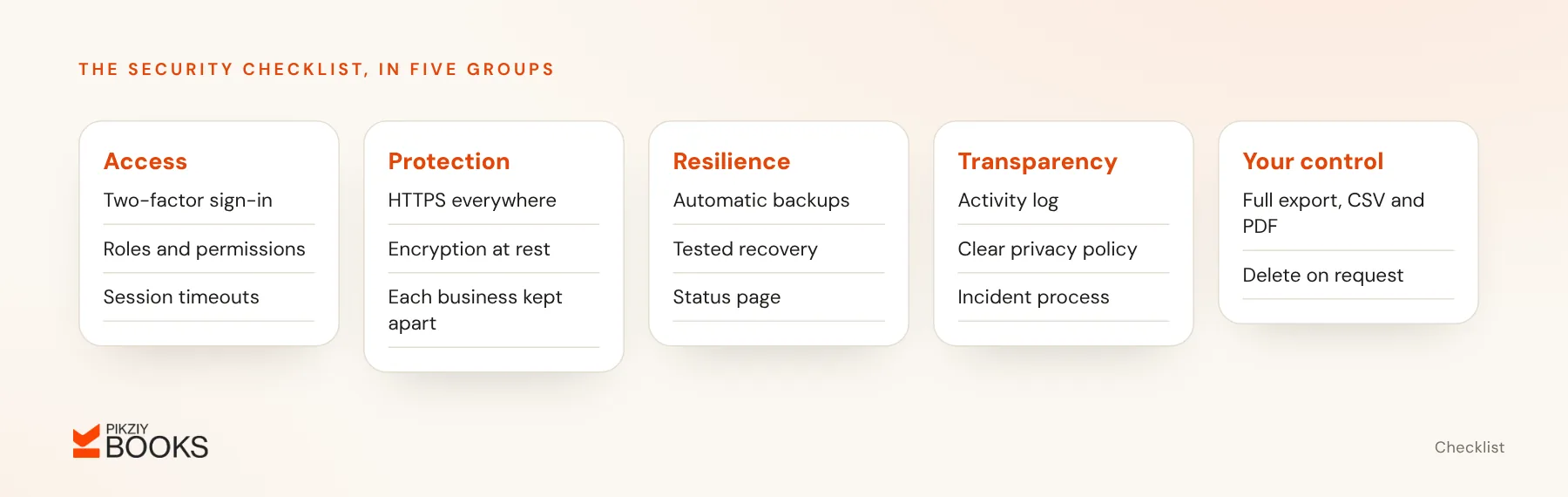
Access and sign-in
- Two-factor authentication.
- Strong password rules and session timeouts.
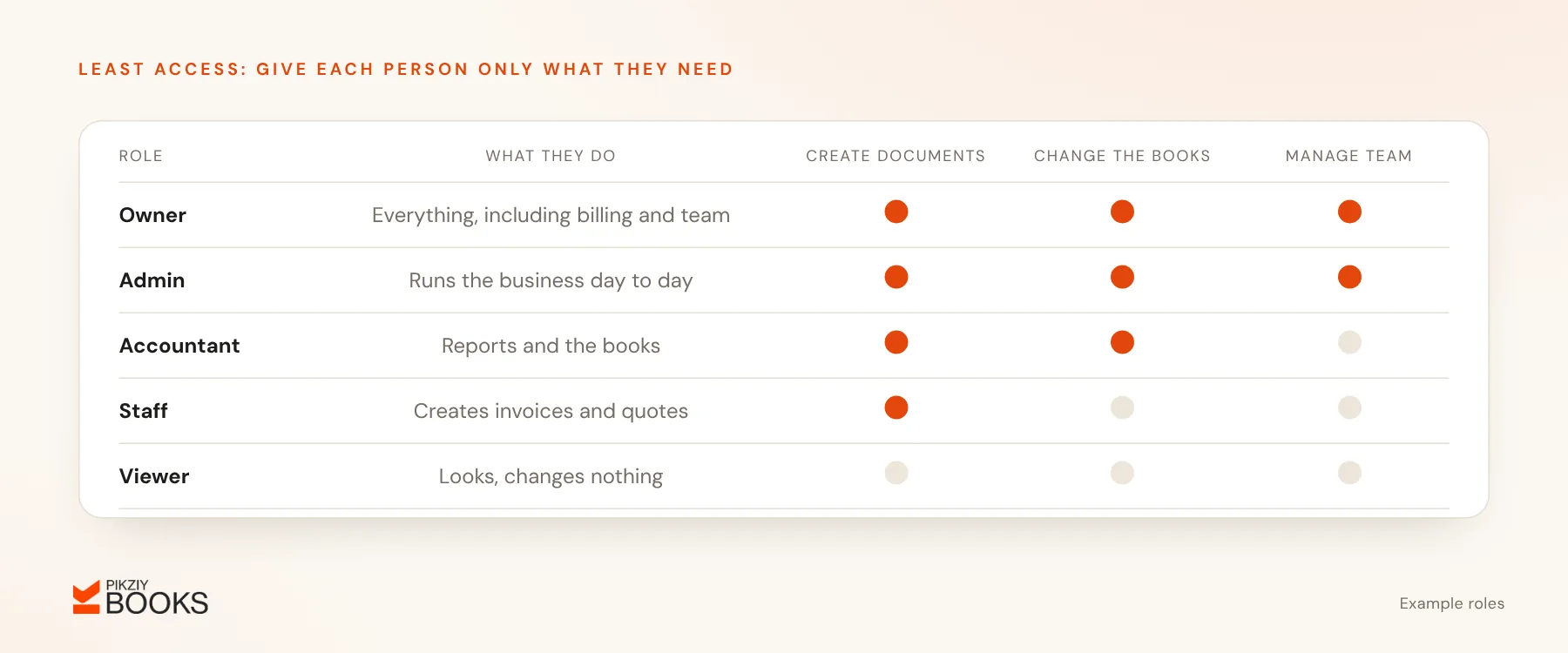
- Role-based permissions; for example, a CA can work on the books but cannot manage the team.
Data protection
- HTTPS for all traffic.
- Encryption of stored data, especially secrets such as payment gateway keys.
- Separation of each customer's data, so one account can never see another's.
Resilience
- Automatic backups, and how often they run.
- Tested recovery procedures.
- Uptime history or a status page.
Transparency
- An activity or audit log of who changed what.
- A privacy policy covering data use, sharing and retention.
- Where data is stored, and which sub-processors are used.
- A process for telling you about security incidents.
Your control
- Full export in usable formats such as CSV and PDF.
- Account and data deletion on request.
Privacy law in India
The Digital Personal Data Protection Act, 2023 and the Digital Personal Data Protection Rules, 2025 (notified in November 2025, with most obligations phased in over the following 18 months) set rules for how personal data is processed. Ask vendors how they handle your and your clients' personal data, and how they respond to correction and deletion requests.
Questions to ask a vendor
- How is my data encrypted, in transit and at rest?
- Who in your company can access my data, and when?
- How often are backups taken, and when were they last tested?
- Can I export everything at any time?
- What happens to my data if I cancel?
- Have you had security incidents, and how were they handled?
Your own responsibilities
- Use unique passwords and two-factor authentication where offered.
- Remove access the day someone leaves.
- Give each person the least access they need.
- Review the activity log from time to time.
How PikZiy Books approaches it
Our security page lists only what is true of the product as built today, and claims no certifications. In short:
- Each business's records are kept apart; every read and write is checked against the business and the person asking.
- Owners, admins, accountants, staff and viewers each have their own access, and viewers cannot change anything.
- Payment gateway keys are encrypted with AES-256-GCM before they are stored, and customers pay into your own gateway account.
- Posted journal entries are never edited or deleted; corrections are visible reversing entries, and locked months cannot change.
- An activity log records who changed what, on the Enterprise plan.
Frequently asked questions
Is cloud accounting safer than desktop?
What is data isolation?
Should I give my CA my own login?
Does security cost more?
Next step
Send the six vendor questions above to every tool on your shortlist and compare the answers. Read our security page for PikZiy Books' answers.