Refrens vs Zoho Invoice: Features and Pricing Compared
Refrens vs Zoho Invoice for Indian freelancers: free plan limits, features, branding, accounting options and prices compared, and who each tool suits best.
Quick answer
Refrens vs Zoho Invoice comes down to where you want to end up. Zoho Invoice is a free, focused invoicing tool from Zoho; when you need full accounting, you move to Zoho Books. Refrens is a freemium platform that combines invoicing with accounting, GST reports and other business tools, with the advanced parts on paid plans. Choose Zoho Invoice for free, focused invoicing, and Refrens if you want one platform that can grow into accounting.
Free plans
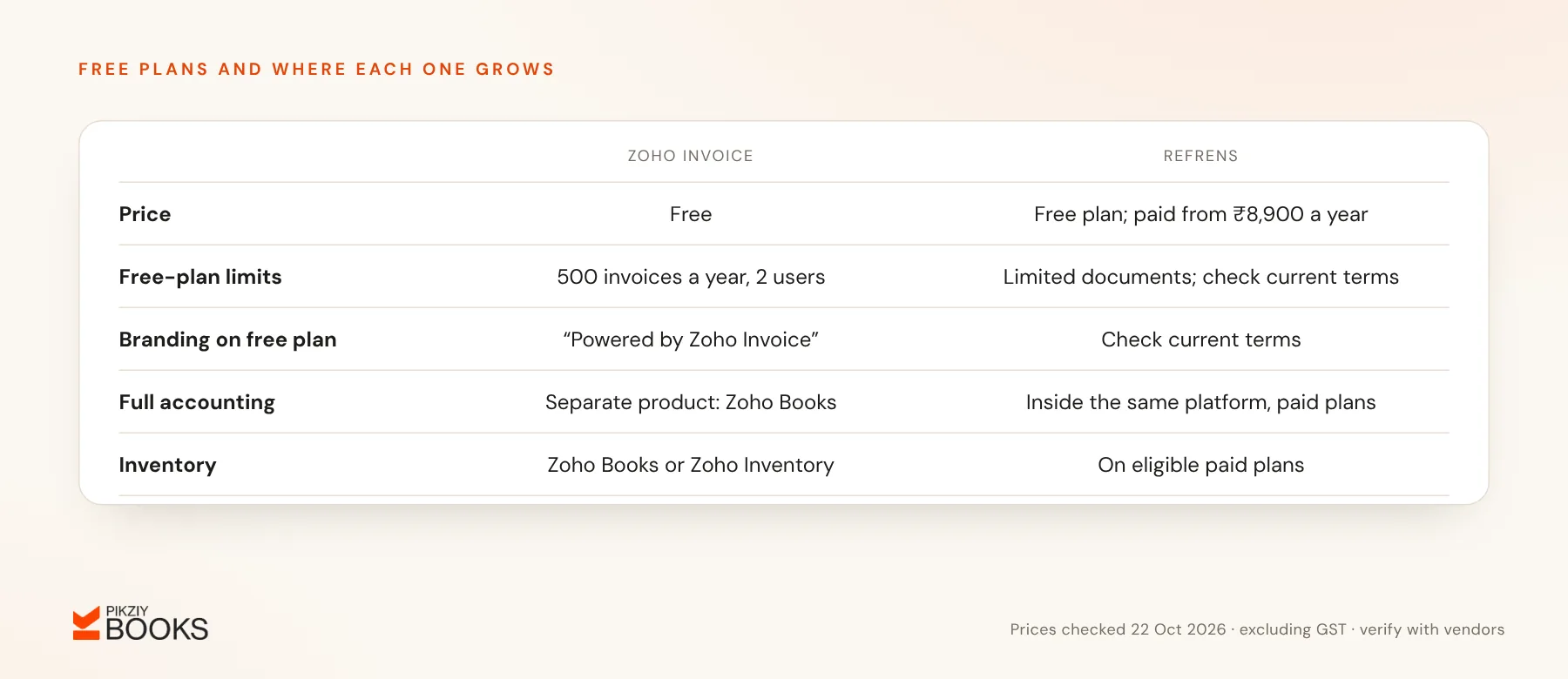
- Zoho Invoice: free. Its India pricing page lists 2 users, 3 projects and 500 invoices a year, and free accounts carry “Powered by Zoho Invoice” branding.
- Refrens: a free plan for core documents such as invoices and quotations, with a limited number of documents. The exact limit is shown differently across Refrens' own pages and listings, so check it on sign-up.
Paid options
- Zoho: for more than Zoho Invoice offers, Zoho points businesses to Zoho Books (from ₹749 a month billed yearly) or Zoho Billing.
- Refrens: premium plans listed at ₹8,900 (Lite), ₹16,900 (Plus), ₹30,900 (Pro) and ₹44,900 (Enterprise) a year, before GST.
Features
| Feature | Zoho Invoice | Refrens |
|---|---|---|
| Invoices and quotes | Yes | Yes |
| GST invoices | Yes | Yes |
| Payment reminders and online payments | Yes; check gateway support | Yes; check gateway support |
| Expenses | Basic expense recording | Expense tracking |
| Full accounting | In Zoho Books, a separate product | On paid plans, same platform |
| Inventory | In Zoho Books or Zoho Inventory | On eligible paid plans |
Who each suits
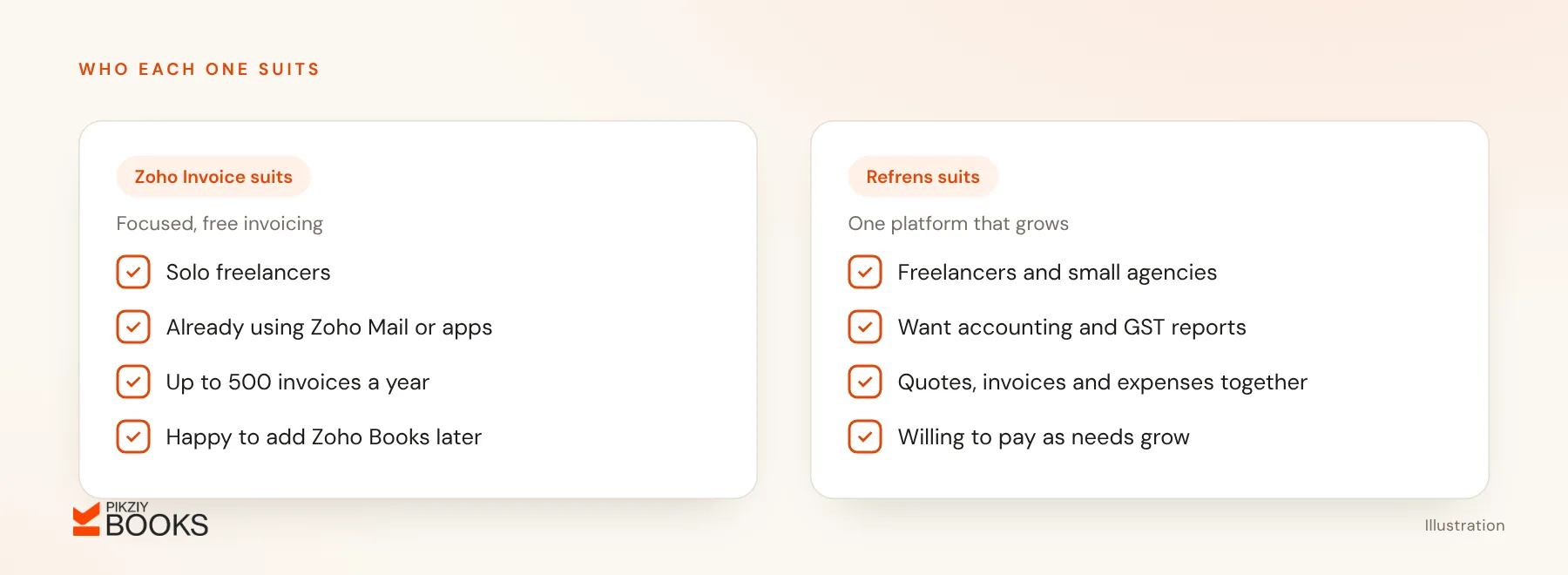
- Zoho Invoice: solo freelancers who want a clean, free invoicing tool, especially if they already use Zoho Mail or other Zoho apps, and send fewer than 500 invoices a year.
- Refrens: freelancers and small agencies who want invoicing that expands into accounting and GST reports on one platform, and are willing to pay as needs grow.
Gaps to check before you commit
- Vendor branding on free invoices and emails.
- The number of users and documents allowed.
- Export options for invoices and client data.
- The price of the plan you will need in a year, including GST.
- Whether the invoice layout meets GST invoice rules for your business.
Frequently asked questions
Are free invoicing tools safe for client data?
Can I switch between them?
Is there a tool built for service businesses?
What about other options?
Next step
Sign up for the free plan of the tool that matches where you will be in a year, and send one real invoice through it. If you want a service-business tool with payment tracking built in, join the PikZiy Books waitlist.