GSTR-1 Explained for Small Business Owners
GSTR-1 reports your sales to the GST portal. Learn who files it, monthly and QRMP due dates, the main tables, how it feeds GSTR-3B and the errors to avoid.
Quick answer
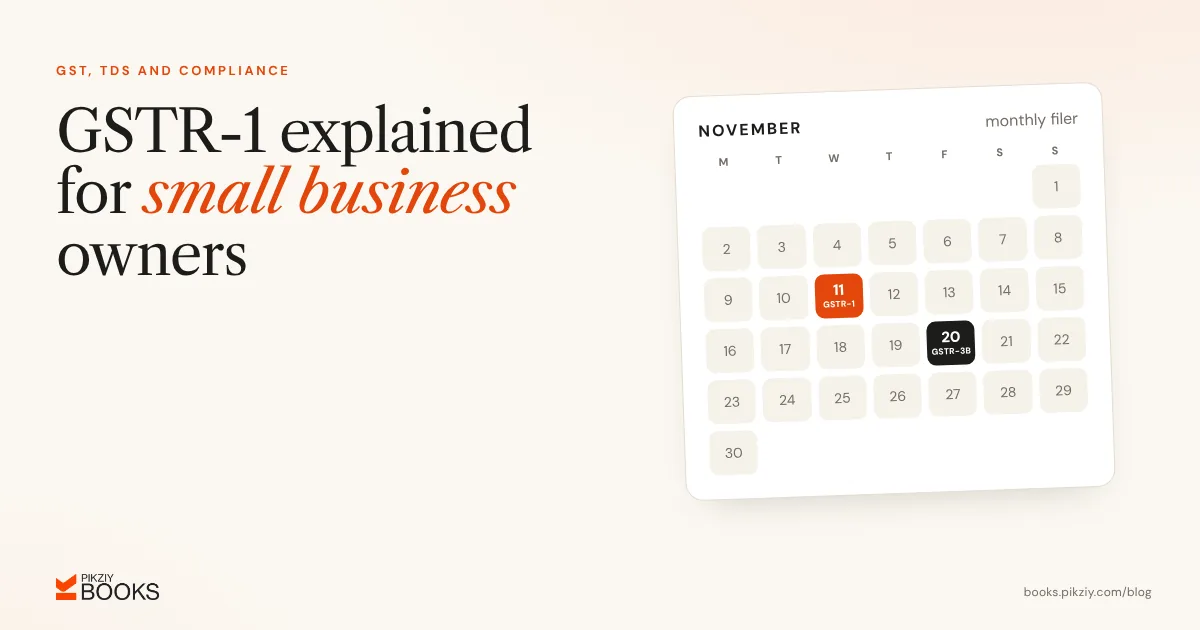
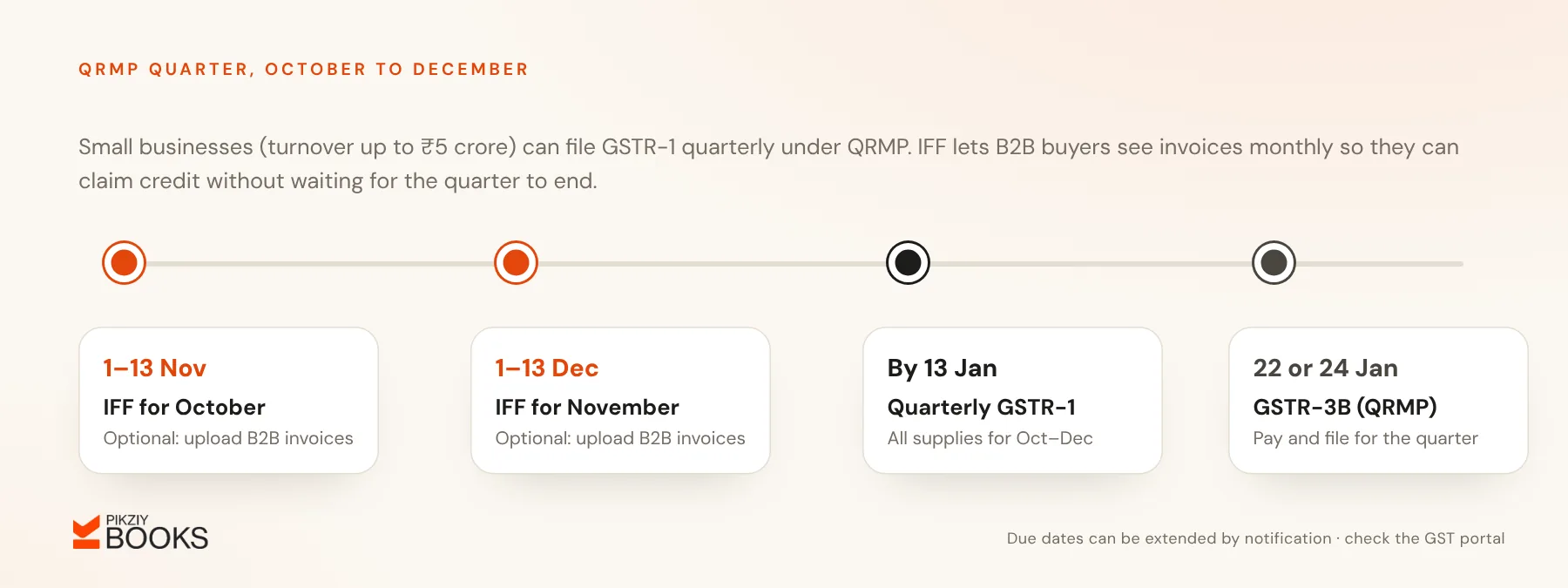
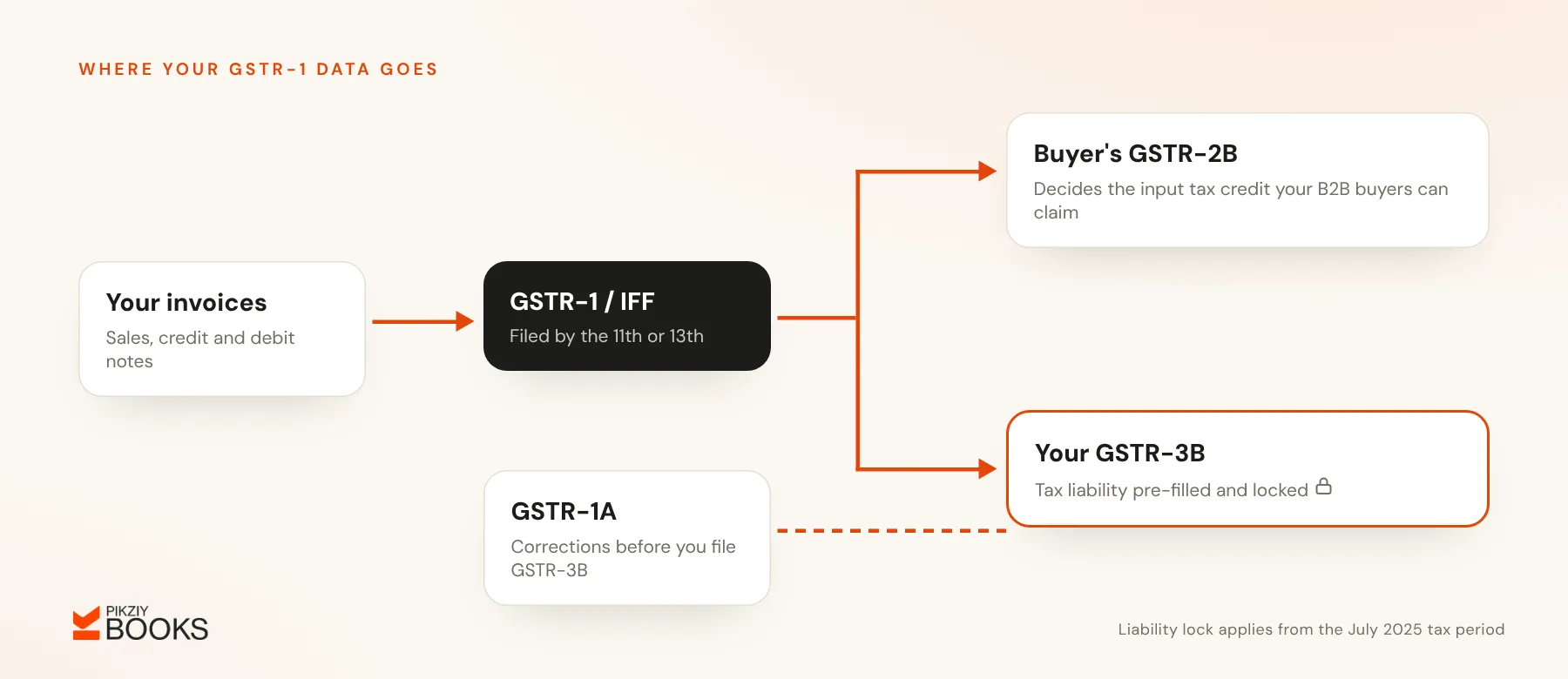
GSTR-1 is the return in which a GST-registered business reports its outward supplies (sales) for a month or a quarter. Monthly filers file by the 11th of the following month. Small taxpayers in the QRMP scheme file quarterly by the 13th of the month after the quarter, and can upload B2B invoices monthly through the Invoice Furnishing Facility (IFF). The tax liability you report in GSTR-1 flows into your GSTR-3B, where it can no longer be edited.
Who files GSTR-1
Every regular GST-registered taxpayer files GSTR-1, including a nil return for a period with no sales. Composition taxpayers, Input Service Distributors, non-resident taxable persons and a few others file different returns instead.
Due dates
| Filer | Return | Due date |
|---|---|---|
| Monthly (any turnover) | GSTR-1 | 11th of the next month |
| QRMP (turnover up to ₹5 crore, opted in) | IFF for month 1 and month 2 (optional) | 1st to 13th of the next month |
| QRMP | Quarterly GSTR-1 | 13th of the month after the quarter |
The government sometimes extends due dates by notification, so check the GST portal each month.
What goes into GSTR-1
The main tables, in plain language:
- B2B supplies: each invoice to a registered buyer, with their GSTIN.
- B2C large: inter-state invoices to unregistered buyers above ₹1 lakh, reported invoice by invoice.
- B2C others: all other sales to consumers, reported as a summary by state and rate.
- Exports and SEZ supplies: with or without payment of tax.
- Credit and debit notes: to registered and unregistered buyers.
- Advances: tax paid on advances received for services, and their later adjustment.
- Nil-rated, exempt and non-GST supplies.
- HSN-wise summary: values and tax by HSN or SAC code, in separate B2B and B2C sections.
- Documents issued: the number ranges of invoices, credit notes and other documents, including cancelled ones. A clean invoice numbering series makes this easy.
How GSTR-1 links to GSTR-3B and your buyers
- Your B2B invoices appear in your buyers' GSTR-2B, which decides the input tax credit they can claim. A late or wrong GSTR-1 delays their credit.
- The liability in your GSTR-1 fills your GSTR-3B automatically. From the July 2025 tax period, that liability is locked in GSTR-3B (Table 3.1), and Table 3.2 was locked from the November 2025 period. To correct a figure, file GSTR-1A before you file GSTR-3B for the same period.
Preparing GSTR-1 each month
- Close your sales register: every invoice, credit note and debit note for the period.
- Check buyer GSTINs and places of supply.
- Confirm the HSN or SAC code and rate on every line.
- Match the totals with your books.
- Upload on the GST portal directly, through the offline tool, or from your accounting software's export.
- Review the summary, then file with EVC (OTP) or a digital signature.
Late fees and the three-year limit
Filing late attracts a late fee for each day of delay (lower for nil returns), up to a cap that depends on your turnover. Since the portal started enforcing it in 2025, GSTR-1 also cannot be filed at all once three years have passed from its due date, so do not leave old periods unfiled.
Common errors
- A wrong buyer GSTIN, so the buyer never sees the invoice.
- B2B invoices reported as B2C.
- Credit notes left out.
- An HSN summary that does not match the invoice totals.
- Invoices reported in the wrong period.
GST mistakes that disrupt your accounts covers how to prevent these with a monthly routine.
Frequently asked questions
Can I revise GSTR-1 after filing?
Do I need to file GSTR-1 if I had no sales?
What is IFF?
What is GSTR-1A?
Next step
Put the 11th (or 13th) in your calendar and close your sales register a few days earlier. PikZiy Books keeps a clean sales register with HSN summaries and document ranges, so GSTR-1 preparation is a review rather than a scramble.