The quote and the invoice don't match
The scope is agreed on WhatsApp, the quote is a PDF, and the invoice is typed again from memory a month later.
The quote said two rounds of revisions; the invoice charges for three, and the client asks why.

For freelancers, studios, agencies and consultants in India. Send a quote your client can accept, turn it into a GST invoice, share a link they can pay, and let polite reminders follow up for you. Advances, part payments and TDS are recorded as they happen.
Sign-ups open November 2026 · 14-day free trial · No card needed to start · Unlimited invoices on every plan
Invoicing software creates your invoices, numbers them in sequence, works out the tax, sends them to clients and keeps track of what has been paid. Good invoicing software also handles quotes, part payments and reminders, so you spend less time chasing money.
It is close to billing software, and the words are often used for the same thing. The difference is focus: invoicing is about the invoice and getting it paid, which is most of the job for a business that sells its time and skills.
The scope is agreed on WhatsApp, the quote is a PDF, and the invoice is typed again from memory a month later.
The quote said two rounds of revisions; the invoice charges for three, and the client asks why.
An advance came in, part of the balance followed, and the client's accounts team kept back TDS.
₹1,62,840 invoiced, ₹1,49,040 received and ₹13,800 TDS: is this invoice paid or not?
So it happens late, or not at all, and payments slip from 15 days to 60.
You remember an overdue invoice only when your own rent is due.
Choose a stage to see what you see in PikZiy Books, what your client sees, and what your books record.
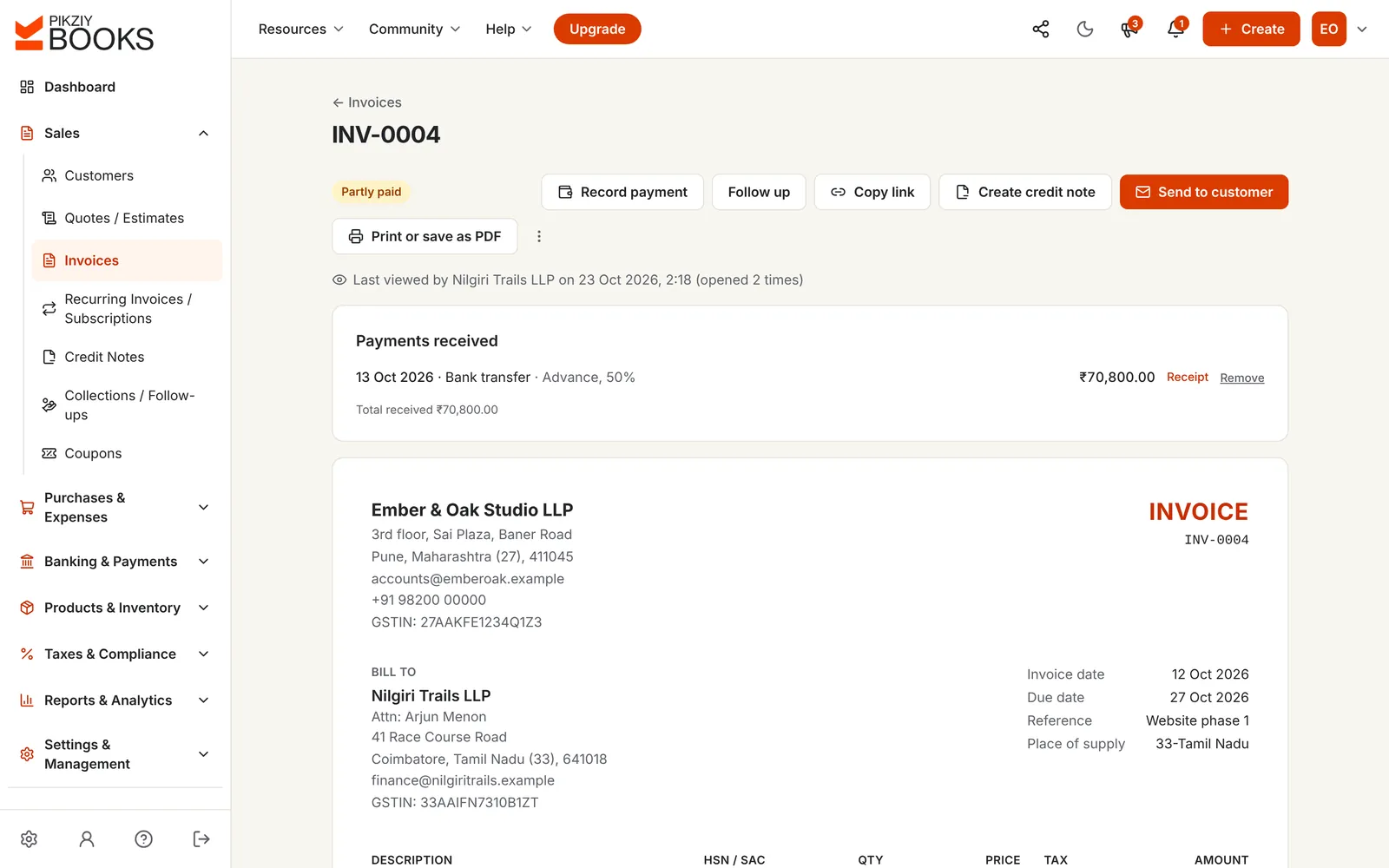
You issue it. It takes the next number in your series and can no longer be edited, so your copy always matches theirs.
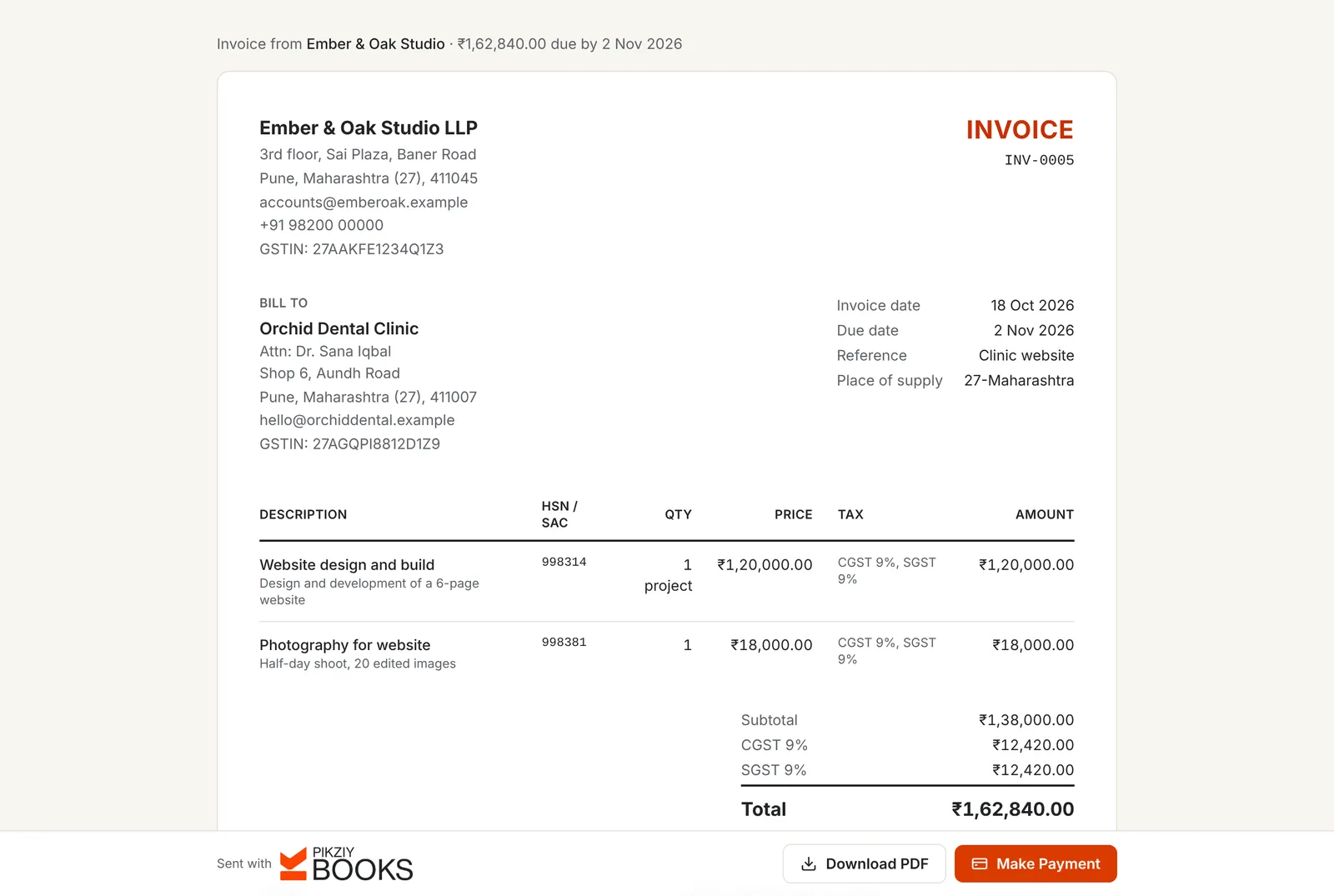
An email with the invoice, or a private link you share on WhatsApp. They can open, download and pay it without an account.
The sale and the GST on it are recorded, and the amount is added to what this customer owes.
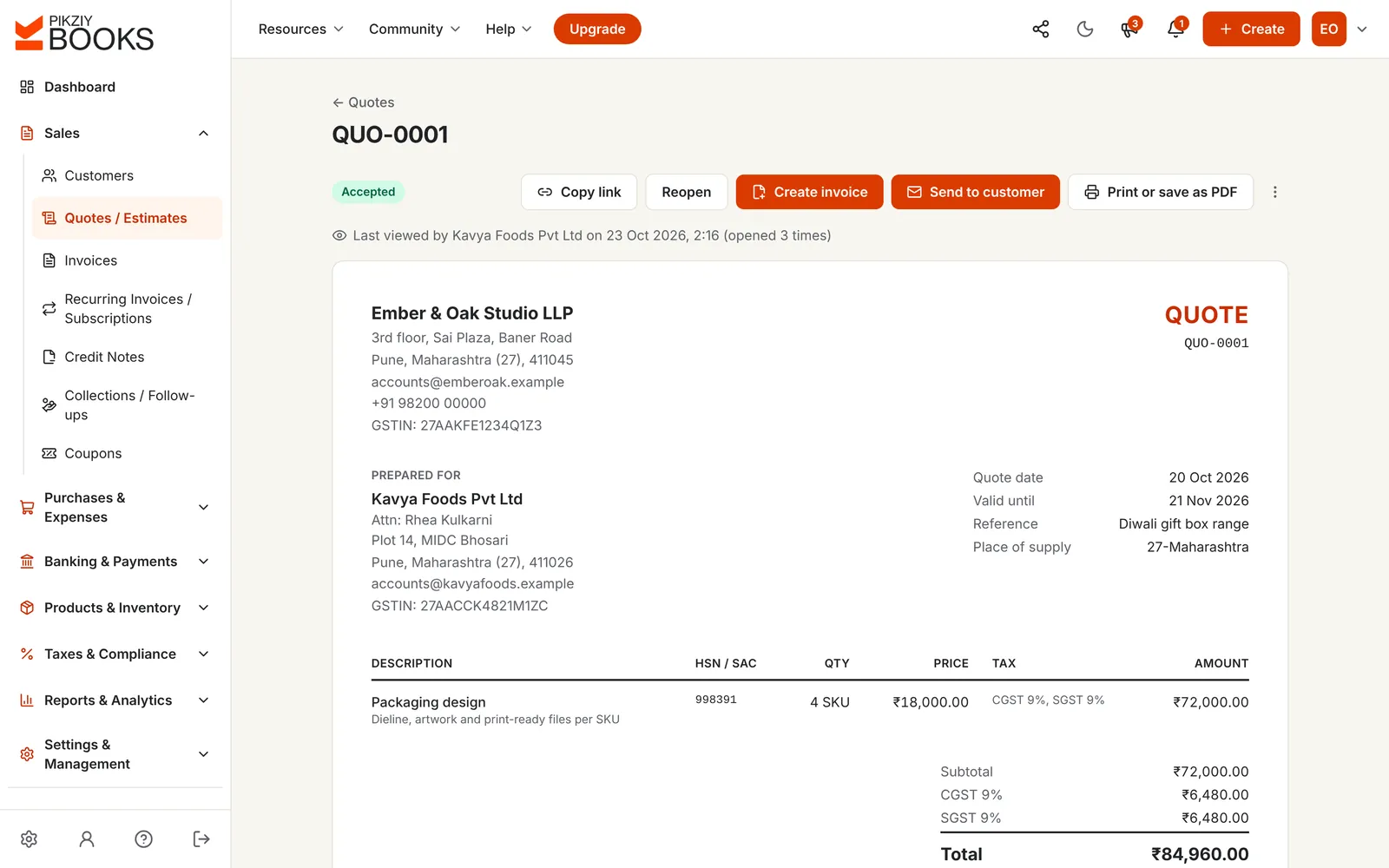
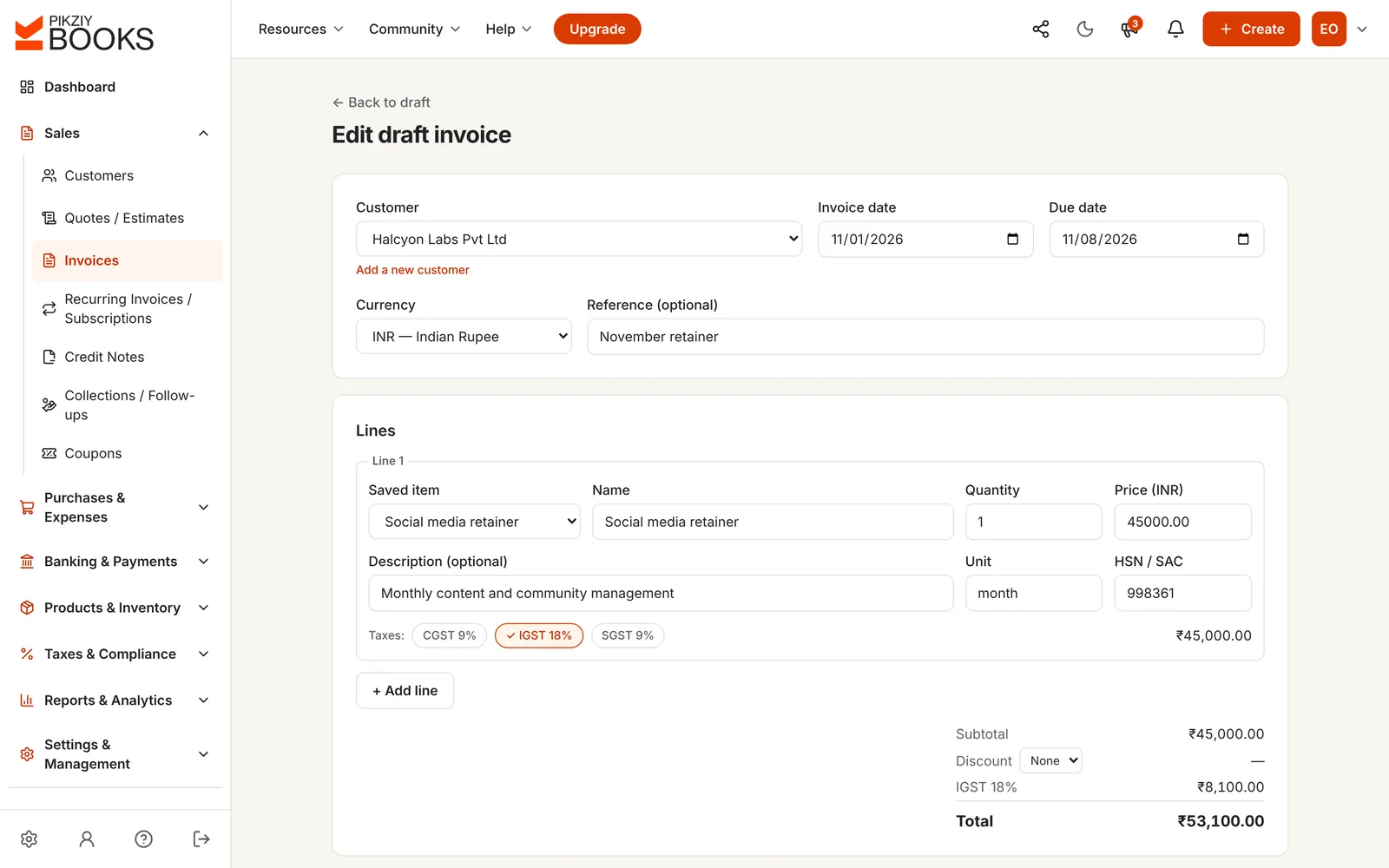
Screenshots of the real app with a sample business, Ember & Oak Studio in Pune.
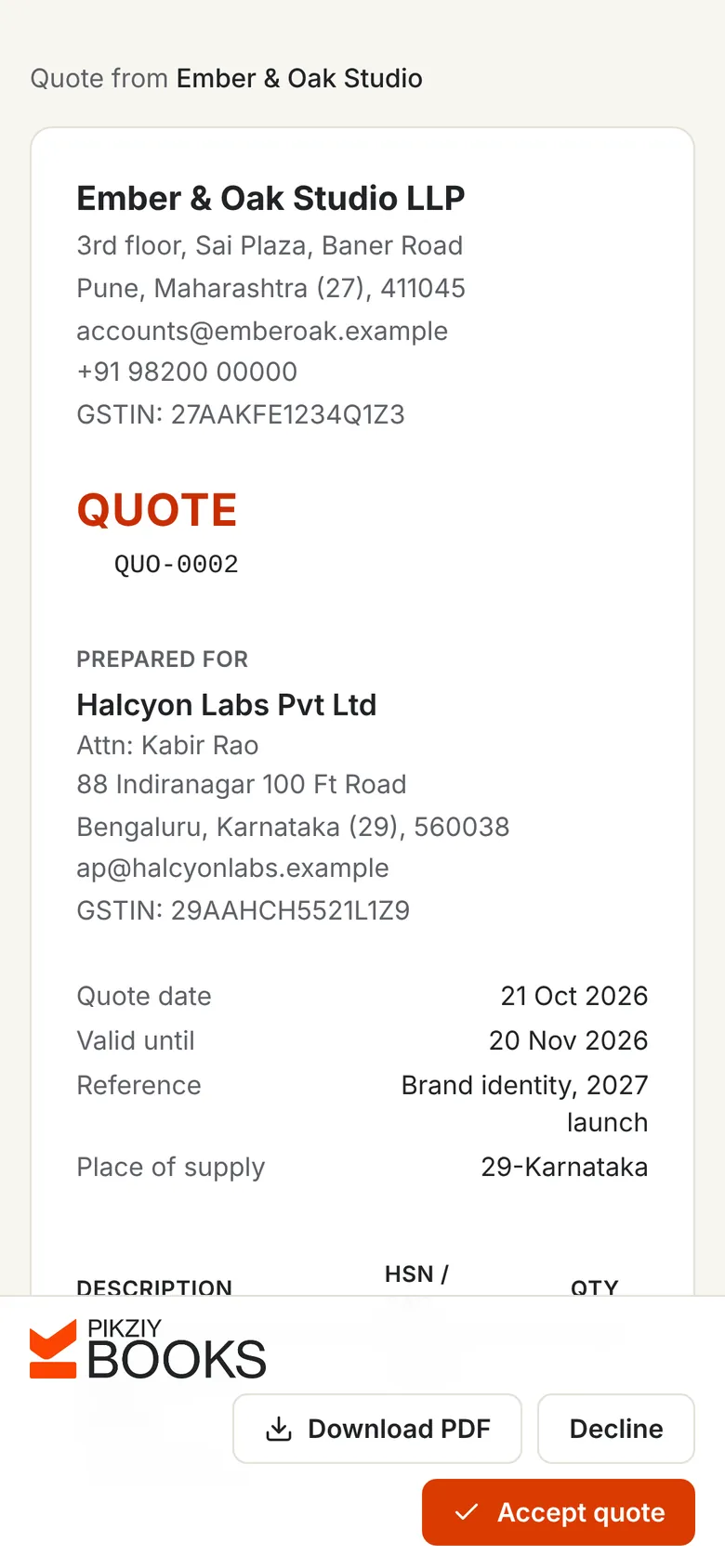
Set out the scope, price, tax and terms. Your client opens the quote from its link and accepts or declines it there, and you see when they have opened it.
Start from the quote or a blank invoice. Saved items bring their SAC code and price; you choose the tax on each line. Issuing gives it the next number in your series and locks it, so your copy always matches your client's.
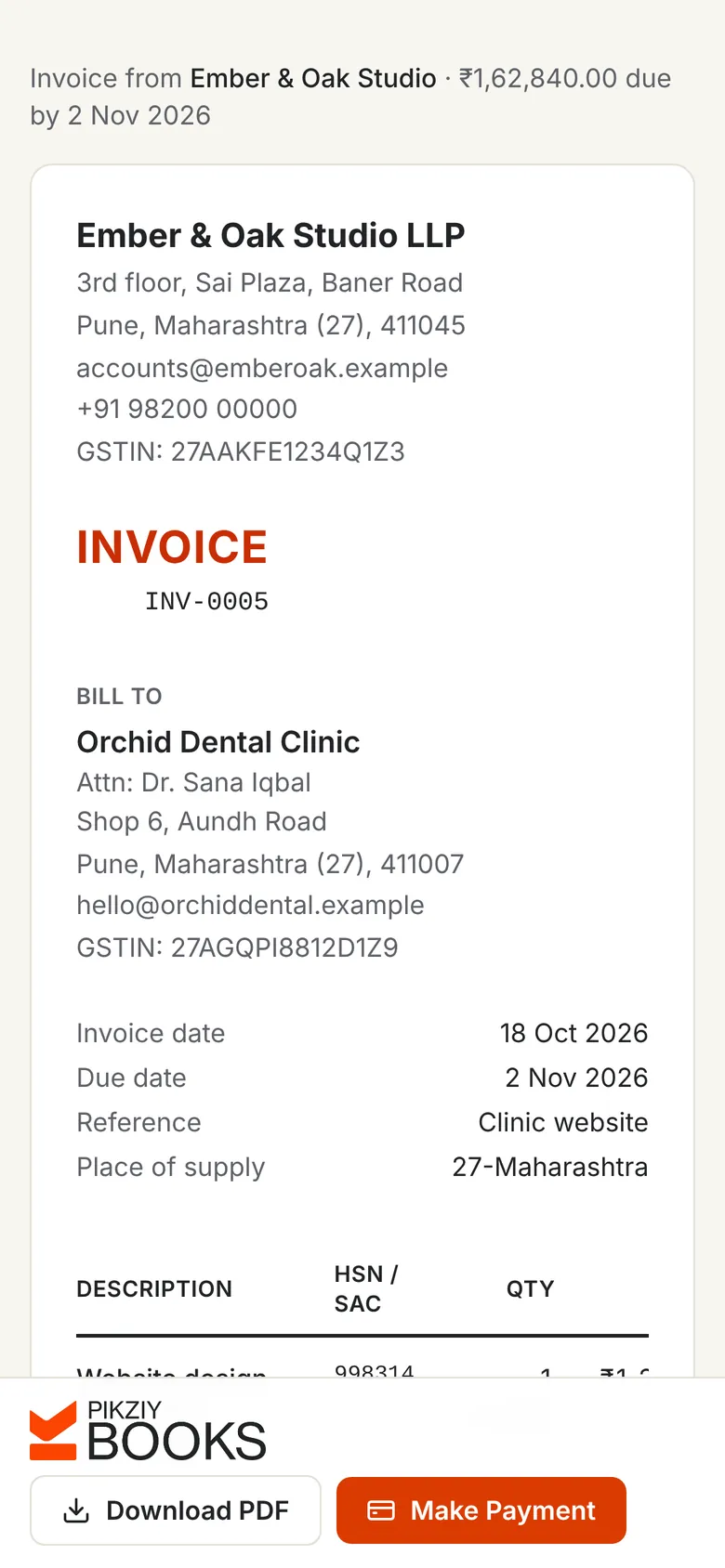
Email it from PikZiy Books with your own wording, copy the private link into WhatsApp, or print and save it as a PDF. Your client sees a clean invoice, a Download PDF button and, if you connect a gateway, a button to pay.
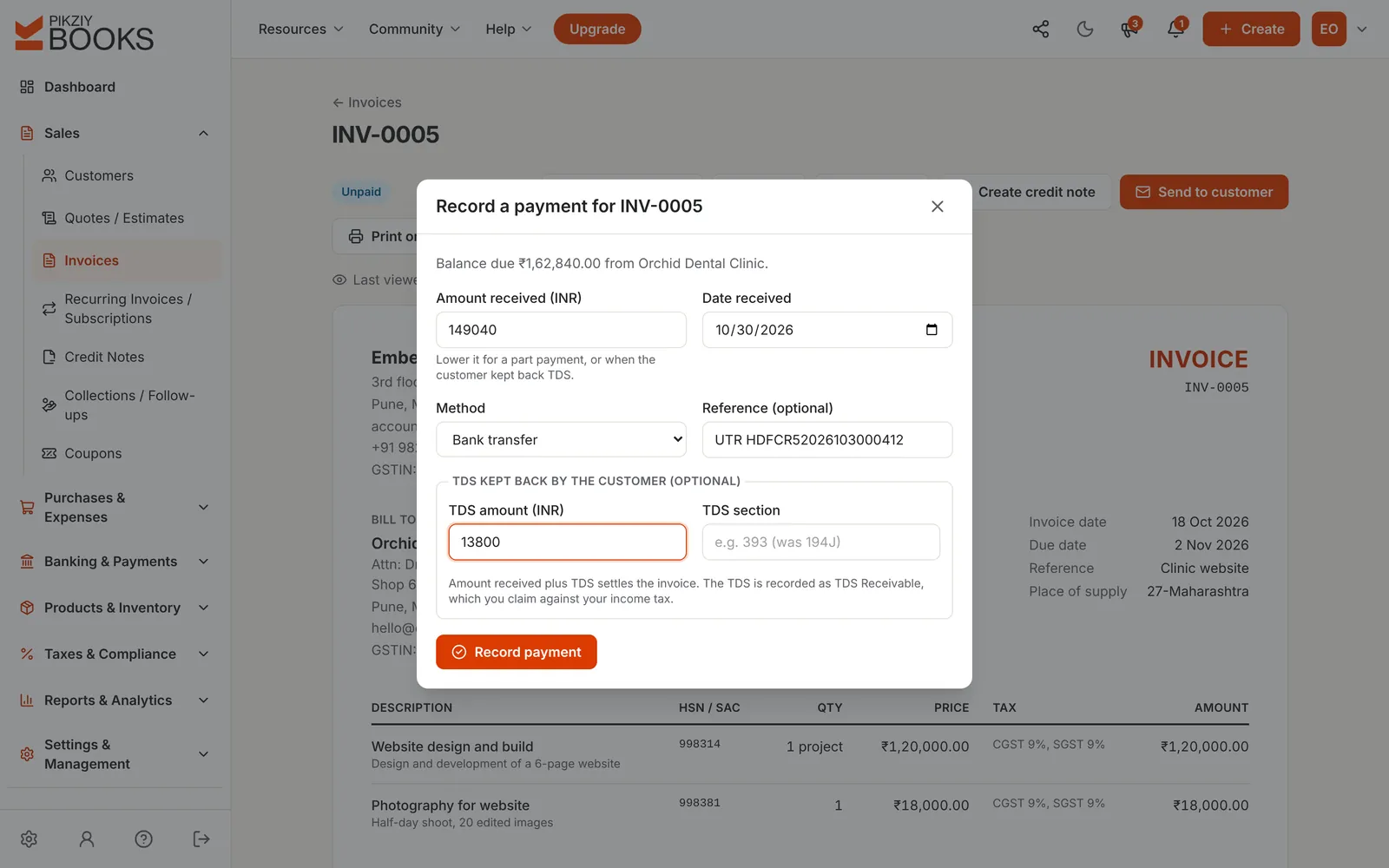
Advances and part payments by bank transfer, UPI, cash, card or cheque, each with a numbered receipt. If your client kept back TDS, enter it with the payment and the invoice is settled.
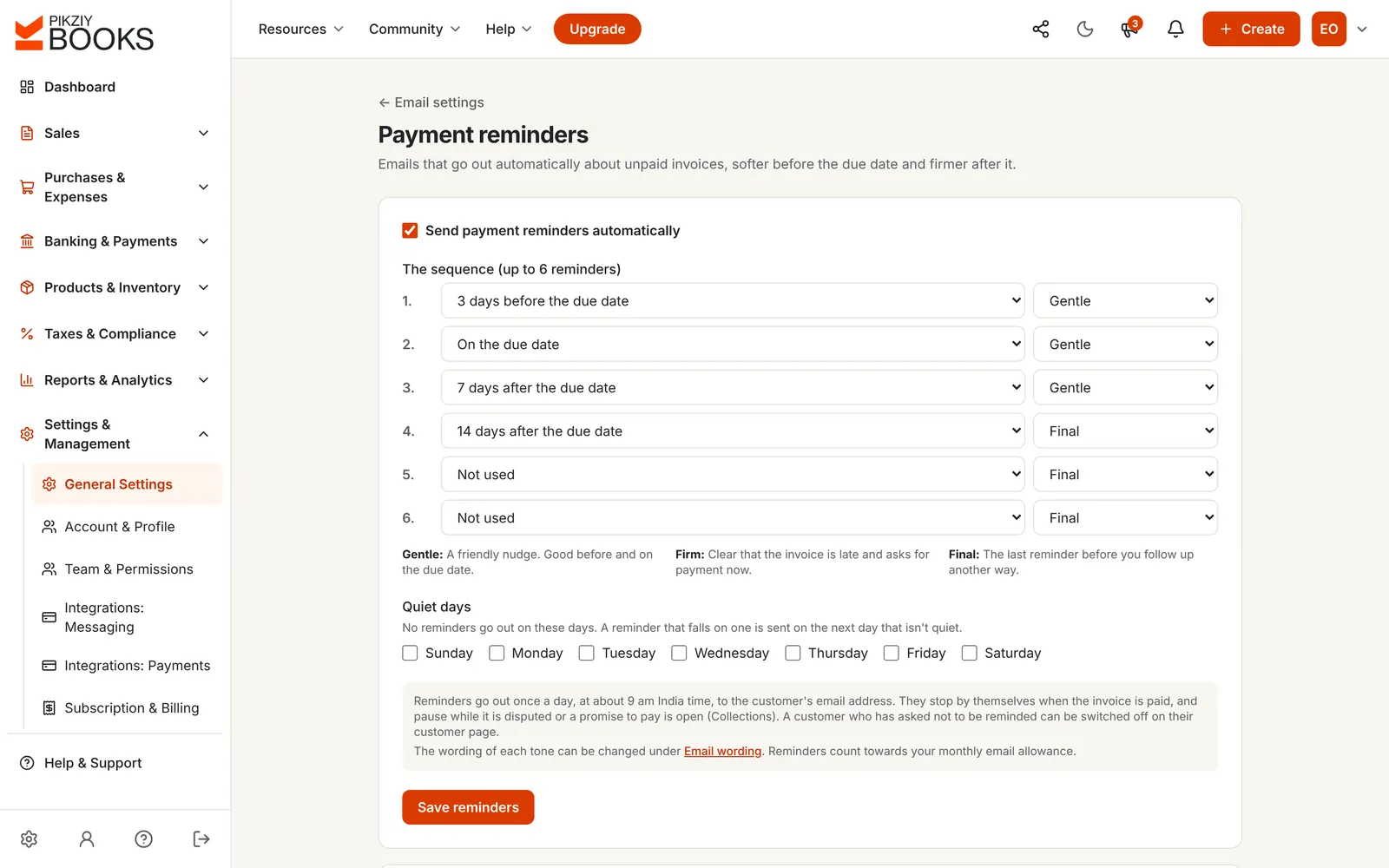
Set a sequence of up to six emails, from a gentle nudge before the due date to a final notice after it. They go out at about 9 am India time and stop when the invoice is paid.
Ember & Oak Studio, in Pune, builds a website for a clinic in Pune for ₹1,38,000. Both are in Maharashtra, so the invoice carries CGST 9% and SGST 9%: ₹12,420 each, a total of ₹1,62,840.
The clinic deducts TDS at 10% on the fee, worked out on the amount before GST: ₹13,800. It pays ₹1,49,040 by bank transfer.
In PikZiy Books, record ₹1,49,040 received and ₹13,800 TDS in one step. The invoice shows Paid, the clinic gets a receipt, and the ₹13,800 is kept as TDS to claim against your income tax. The TDS rate depends on the service and your client; read TDS on professional fees before you rely on it.
| Amount | |
|---|---|
| Website design and photography | ₹1,38,000.00 |
| CGST 9% | ₹12,420.00 |
| SGST 9% | ₹12,420.00 |
| Invoice total | ₹1,62,840.00 |
| TDS kept back by the client (10% of ₹1,38,000) | ₹13,800.00 |
| Received by bank transfer | ₹1,49,040.00 |
| Balance due | ₹0.00, paid |
Accept or decline from the link, then one click to create the invoice.
INV-, QUO- or any prefix. Each invoice takes the next number when issued.
Any number of payments against one invoice, each with a receipt.
Payment plus TDS settles the invoice; the TDS is kept to claim later.
Up to six emails, before and after the due date, in your own words.
Correct an issued invoice the right way, without editing or deleting it.
Invoice in dollars, euros, pounds and other currencies.
Weekly, monthly, quarterly or yearly subscriptions.
Business plan and aboveEverything billed to and paid by one client, to send with a reminder.
Business plan and aboveWho owes what, how late, promises to pay and a 13-week forecast.
Growth plan and aboveRecord what each month cost, so you know what you made.
Growth plan and aboveNo PikZiy Books branding on invoices and reminders you send.
Business plan and aboveMost clients open an invoice from a WhatsApp message or an email on their phone. The invoice and quote links are made for that: readable without zooming, with Download PDF, Accept quote and Make Payment buttons in reach of a thumb.
Nothing to install, for you or for them. PikZiy Books runs in the browser on a phone, tablet or computer.
Free invoice generators and Word templates are fine for a few invoices a year. Once clients repeat and payments overlap, the gaps show.
| Free generator or template | PikZiy Books | |
|---|---|---|
| Invoice numbers in sequence | You keep track | Given when you issue, never repeated |
| Clients and items saved | Usually not | Yes, with GSTIN, SAC and price |
| Client can pay from the invoice | No | Yes, through your own gateway |
| Part payments and TDS | Worked out by hand | Recorded, with receipts |
| Reminders when it is late | You remember | Automatic, by email |
| GST returns from your invoices | No | GSTR-1 file and GSTR-3B worksheet (Growth and above) |
Comparing tools? Read our fair guides to invoice generators for freelancers and billing software for freelancers.
Quotes, invoices, payments and reminders are on every plan. Higher plans add retainers, collections and full accounting.
| Feature | Starter | Growth | Business | Enterprise |
|---|---|---|---|---|
| People who can sign in | 1 | 3 | 10 | 25 |
| Quotes, GST invoices and credit notes | Included | Included | Included | Included |
| Private links and online payments | Included | Included | Included | Included |
| Payments, receipts and TDS | Included | Included | Included | Included |
| Automatic email reminders | Included | Included | Included | Included |
| Expenses | Not included | Included | Included | Included |
| Collections and ageing | Not included | Included | Included | Included |
| GST returns: GSTR-1, GSTR-3B, GSTR-2B | Not included | Included | Included | Included |
| Subscriptions for retainers | Not included | Not included | Included | Included |
| Customer statements | Not included | Not included | Included | Included |
| Double-entry accounting | Not included | Not included | Included | Included |
Every plan has unlimited invoices, customers and items, and starts with a 14-day free trial. Prices are published when sign-ups open in November 2026. Businesses that sign up from 1 November 2026 to 30 April 2027 and pay for a year get 18 months for the price of 12. Compare every feature
Invoicing software helps you create invoices, send them to clients and get paid. It numbers each invoice in sequence, works out the tax, shares the invoice by email or link, records payments and part payments, and reminds clients who are late. Online invoicing software does all of this in your browser.
The words are often used for the same thing. Billing software usually means the wider job of charging for what you sell, including goods, stock and counter sales; invoicing software focuses on the invoice and getting it paid, which is what most service businesses need. PikZiy Books does both: see billing software.
Yes. Add CGST and SGST, or IGST, to each line, with an HSN or SAC code, and PikZiy Books warns you if the tax does not match the state your client is in. If you are not registered for GST, leave tax off and the invoice carries none; see how to invoice without GST registration.
Send the quote from PikZiy Books. Your client accepts or declines it from its link, and you see the answer on the quote. Then choose Create invoice on the quote, check it and issue it. For the difference between the three documents, read quotation vs estimate vs invoice.
Send it by email from PikZiy Books, copy its private link and share it on WhatsApp or anywhere else, or download the PDF. Your client can open the link without an account, download the PDF and pay online. Our guide on how to send an invoice professionally has email wording you can use.
Yes, if you connect your own Razorpay, Cashfree or Easebuzz account. The invoice link then shows a payment button for UPI, cards and net banking, the money goes to your account, and the payment is recorded against the invoice when it succeeds. PikZiy Books never holds your money and adds no fee.
Choose Record payment on the invoice and enter what arrived, by bank transfer, UPI, cash, card or cheque. Each payment gets a numbered receipt, and the invoice shows Partly paid until the balance is cleared. If your client kept back TDS, enter it in the same step and the invoice is settled. See advance and partial payments and TDS on professional fees.
Yes. Turn on a reminder sequence of up to six emails before and after the due date, each gentle, firm or final, and choose quiet days when none go out. Reminders stop when the invoice is paid and pause while a promise to pay or a dispute is open. Writing your own? See how to write a polite payment reminder.
Yes. On the Business plan and above, a subscription issues an invoice on its own every week, month, quarter or year. It suits retainers; see how to create recurring invoices.
Yes. Invoices can be in dollars, euros, pounds and other currencies. Whether GST applies to an export of services depends on your situation, so check with your CA.
No. Every plan has unlimited invoices, clients and items. Plans differ by features and team size. Emails sent for you (invoices, quotes, reminders and receipts) have a monthly allowance by plan, and links you share yourself do not count. See plans.
PikZiy Books opens for sign-ups in November 2026. Join the waitlist and we will tell you the day you can start.
Join the waitlist