Every invoice from scratch
A Word file renamed for each client, a number you hope is the next one, GST worked out on a phone calculator.
INV-12 goes out twice, and your CA asks which one is real.

Quote a project, bill the advance, invoice an Indian client with GST or a client in Oregon in dollars, record the TDS they keep back, and get paid on UPI. Everything a one-person business needs to look professional and get paid, without a spreadsheet.
Sign-ups open November 2026 · 14-day free trial · No card needed to start
Billing software for freelancers takes care of the money side of client work: quotes, invoices with the right tax, payments, reminders and receipts, and a record of what you spend. It should fit one person, work whether or not you are registered for GST, and handle clients in India and abroad.
PikZiy Books starts with quotes and invoices and grows with you, to expenses and GST returns when you need them.
A Word file renamed for each client, a number you hope is the next one, GST worked out on a phone calculator.
INV-12 goes out twice, and your CA asks which one is real.
A ₹1,18,000 invoice is paid as ₹1,08,000. Was it TDS? Did they forget the GST? Is something still owed?
₹10,000 of TDS never claimed in your return, because nobody wrote it down.
The client is lovely. The invoice is 40 days late. Writing “just following up” for the third time costs you more than time.
Overdue payments pile up through the festive season.
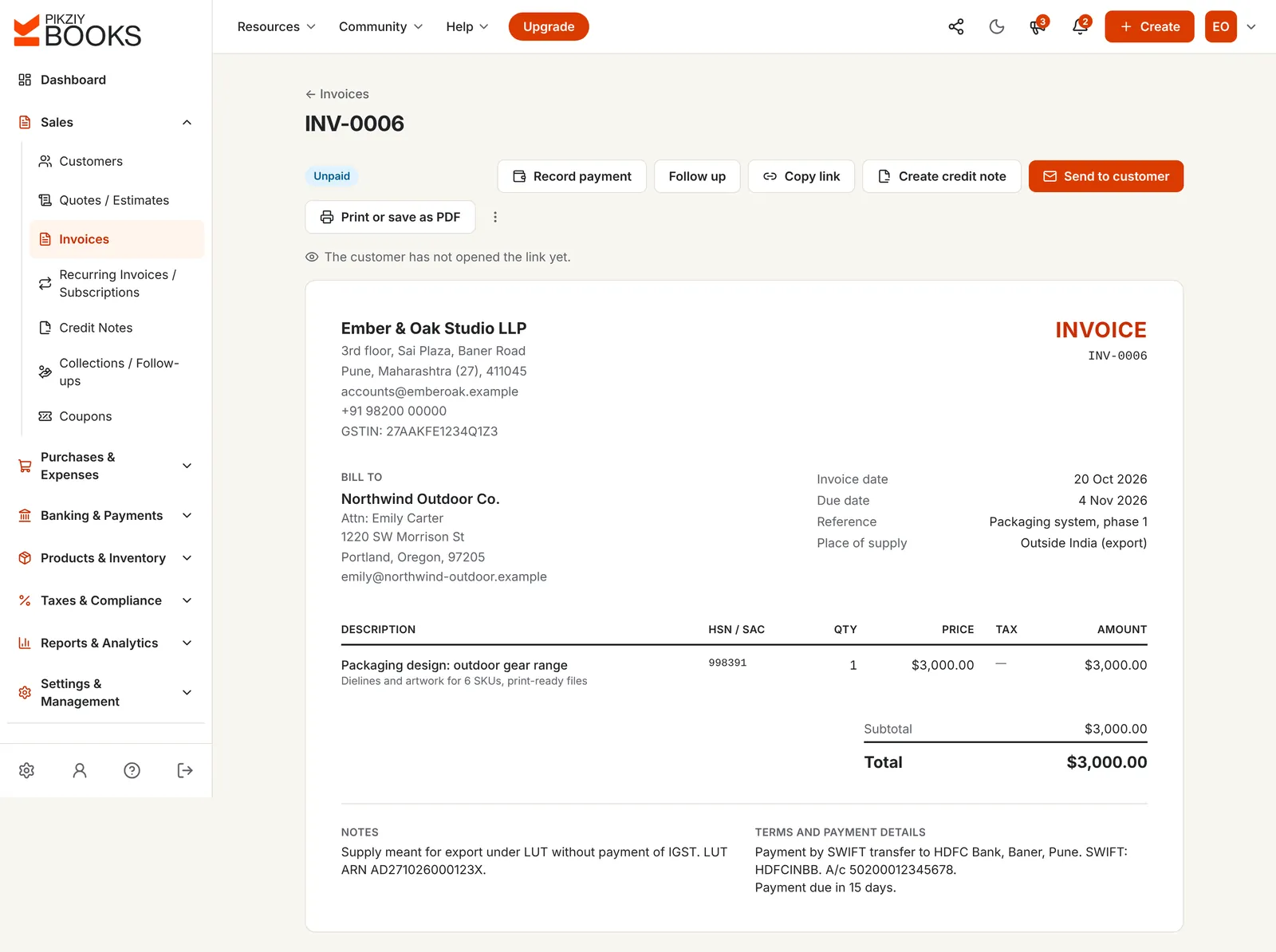
Screenshots of the real app with a sample studio in Pune. The same works for one person on their own.
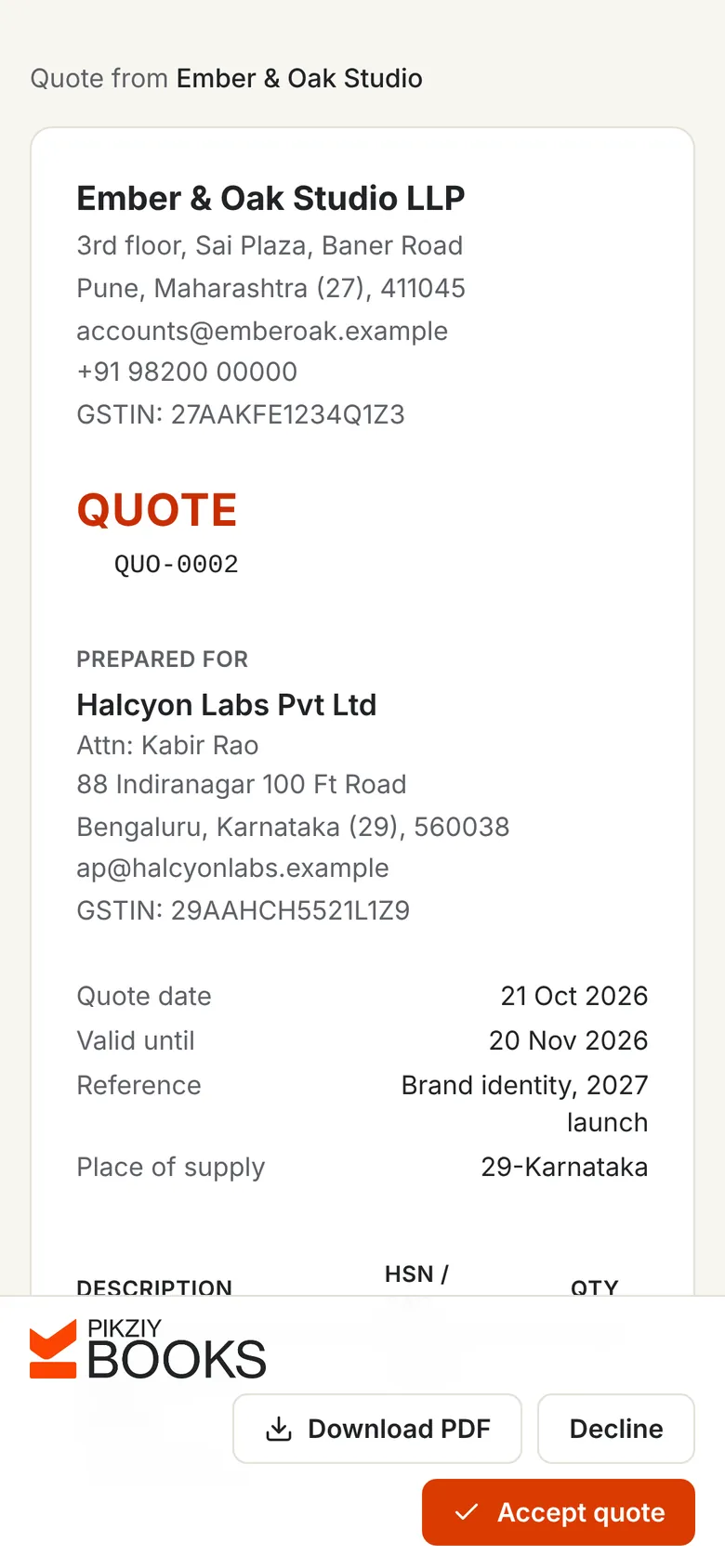
Send a quote with the scope, the price, how many rounds of changes, and the payment stages. Your client accepts on their phone by typing their name.
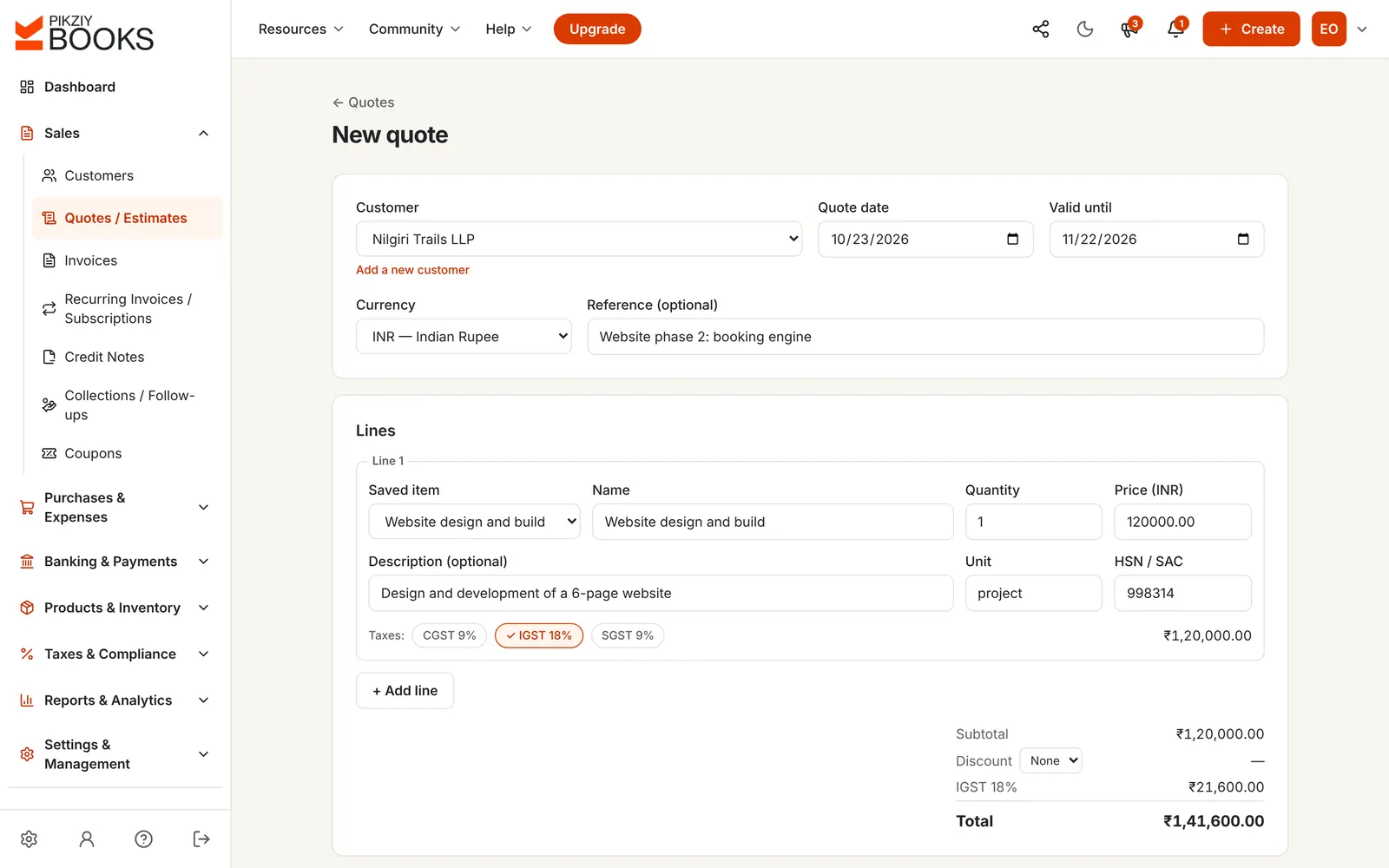
Registered? CGST and SGST, or IGST, are worked out on each line and checked against your client's state. Not registered yet? Leave the tax off; add your GSTIN the day you register.
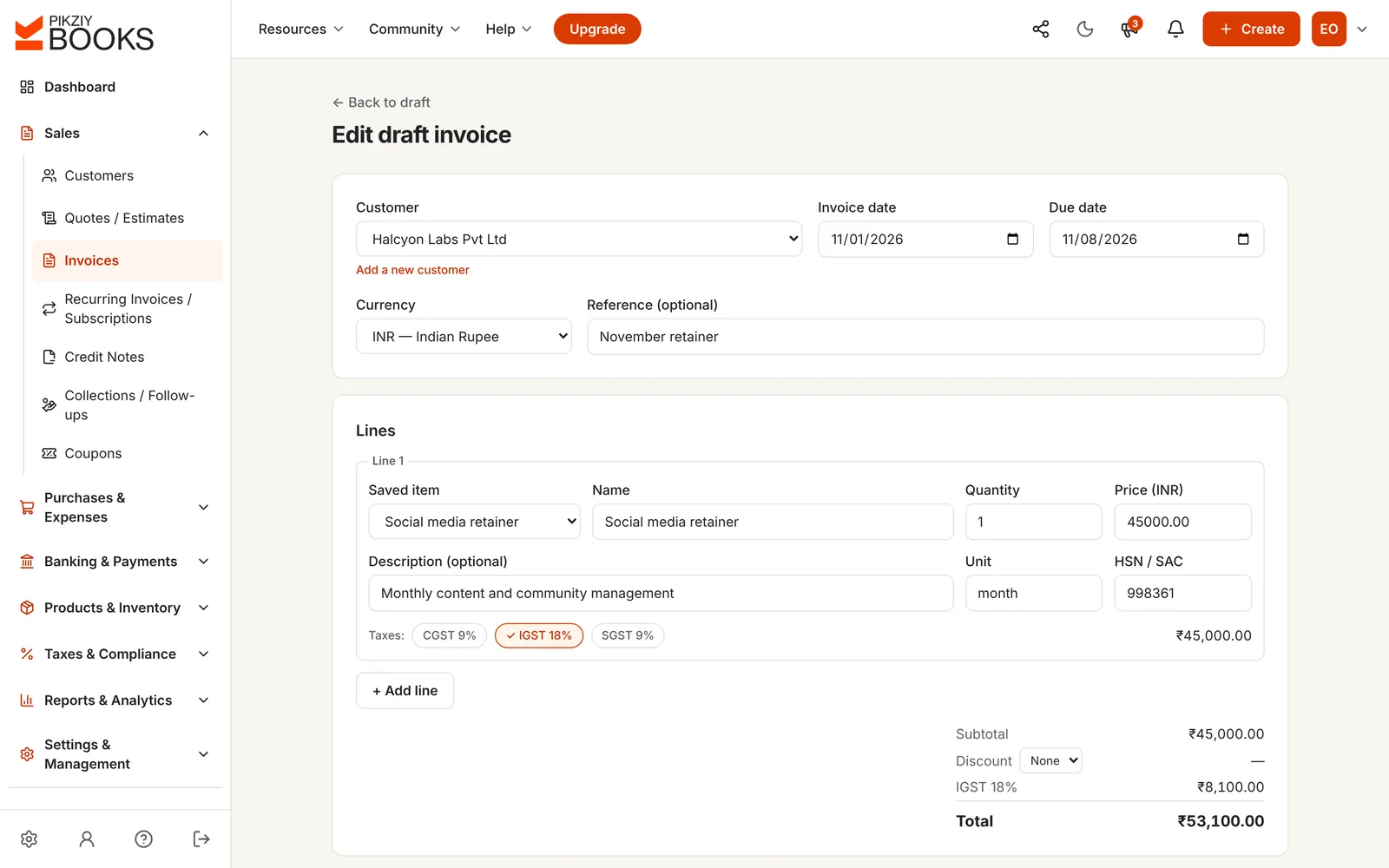
Invoice in US dollars, euros, pounds or dirhams. The invoice shows the place of supply as outside India, and your LUT declaration goes in the notes.
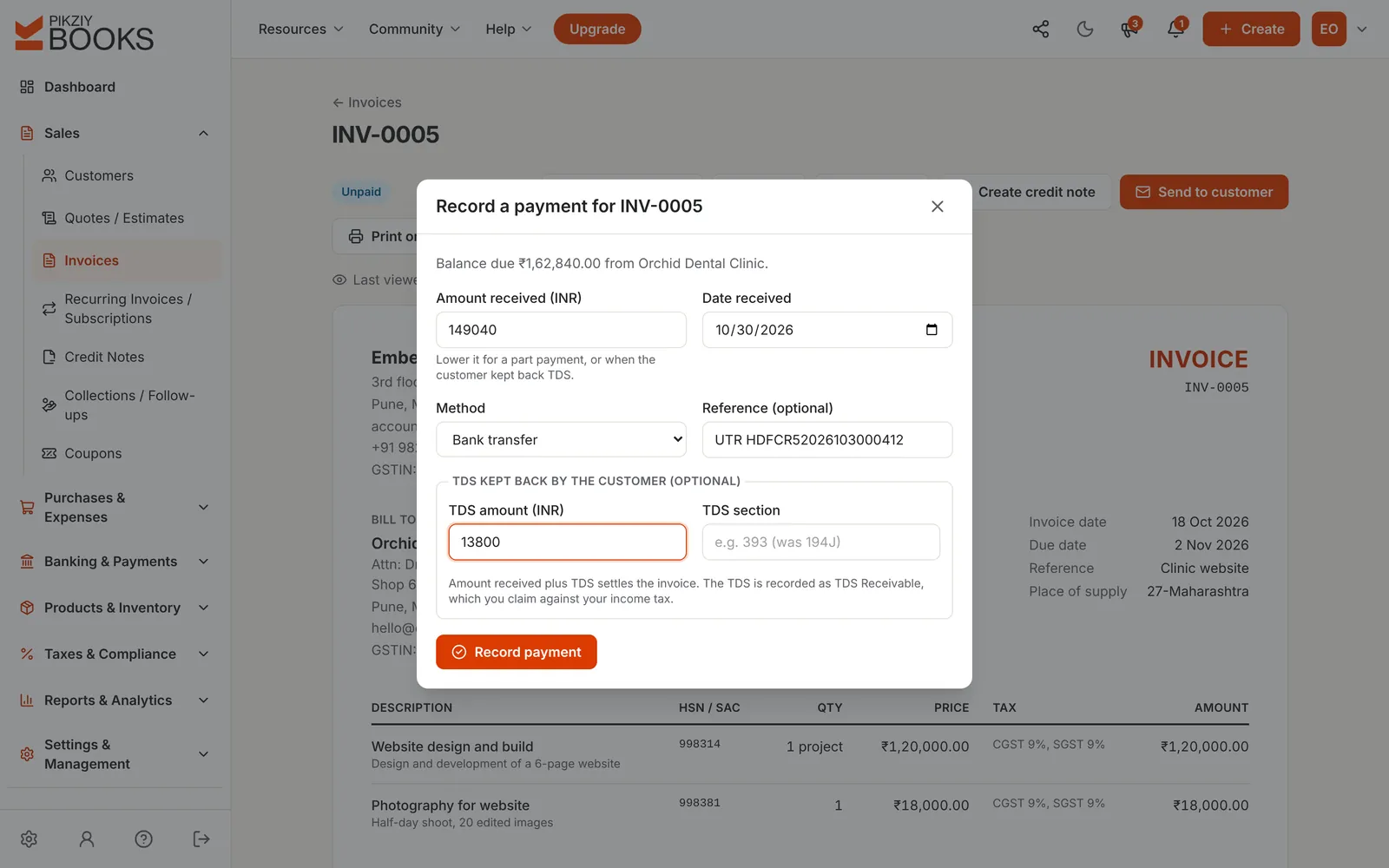
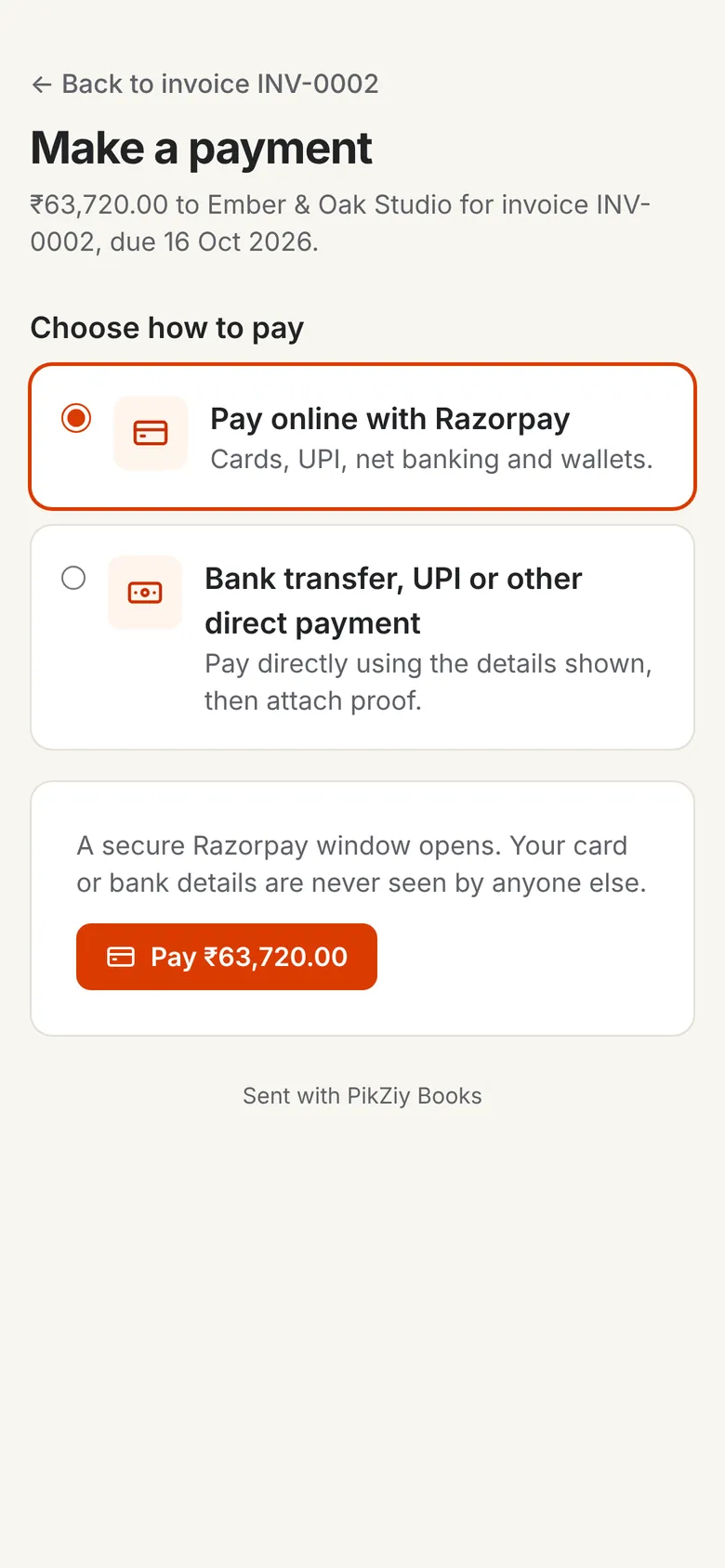
Clients pay online into your own gateway or by UPI with proof. When a company keeps back TDS, record it with the payment and the invoice is settled.
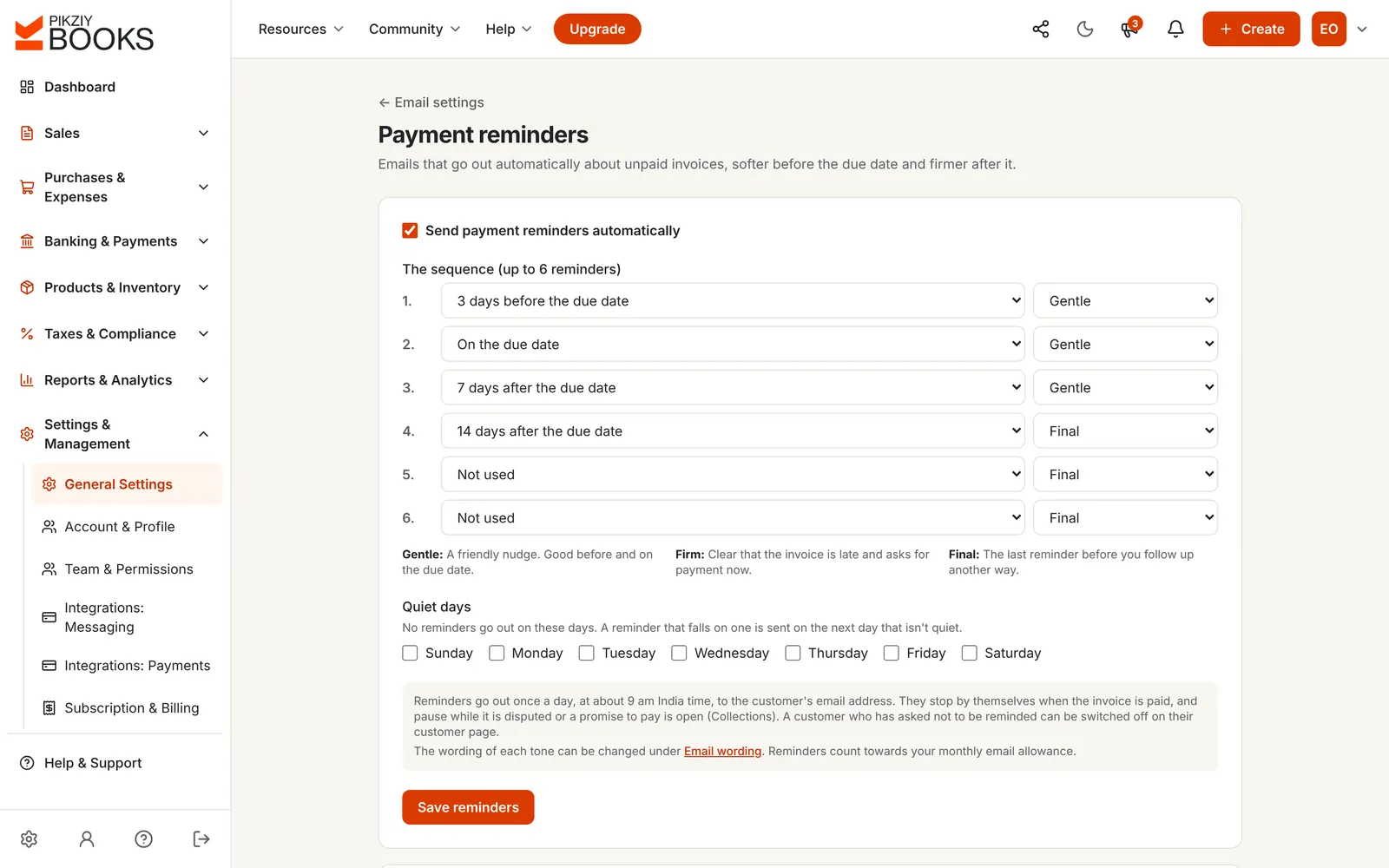
Polite emails before the due date, on it and after it, firmer if you choose, each with a button to pay. They stop the moment you're paid.
Enter the income you want, what the business costs to run and how many hours you really bill. See the hourly and day rate that gets you there, and the invoice for a project, with GST and TDS.
₹1,253 an hour
That is ₹6,265 for a 5-hour billable day, across 1,150 billable hours in 46 working weeks, to bring in ₹14,40,000 a year before income tax.
Before income tax. TDS is not lost: you claim it back as tax already paid in your return. Clients abroad don't deduct Indian TDS. Nothing you type is saved.
More on pricing: how much freelancers should charge in India and a freelance invoice that gets paid on time.
Share a quote or an invoice on WhatsApp or by email. Your client opens it on their phone, with no account, and accepts the quote or pays the invoice in a few taps.
You see when they opened it, and you get an email when they answer.
| Word or Excel template | PikZiy Books | |
|---|---|---|
| Invoice numbers | Typed by hand | In order, with your prefix |
| GST | Worked out on a calculator | On each line, checked against the state |
| Clients abroad | A second template | Their currency, export place of supply |
| TDS kept back | Remembered, or not | Recorded with the payment |
| Getting paid | Bank details in a PDF | A pay button and UPI with proof |
| Reminders | Written by you | Sent on your schedule |
Typed name and a tick, with the time recorded.
Invoice with CGST, SGST or IGST, or without GST until you register.
Dollars, euros, pounds and more, for clients abroad.
What your client kept back, by section.
Your own gateway; no fee from us.
Sent and numbered for you.
Your freelance work and a side business, kept apart.
Software, equipment and travel, by category.
Growth plan and aboveIncluding exports, once you register.
Growth plan and aboveInvite them as a user instead of emailing files.
Growth plan and aboveFor monthly retainers, issued and emailed for you.
Business plan and aboveTDS receivable to check against Form 168.
Business plan and aboveStarter covers a freelancer's billing. Growth adds expenses, reports and GST returns.
| Feature | Starter | Growth | Business | Enterprise |
|---|---|---|---|---|
| People who can sign in | 1 | 3 | 10 | 25 |
| Quotes, invoices, payments and reminders | Included | Included | Included | Included |
| Invoices in other currencies and TDS on payments | Included | Included | Included | Included |
| Expenses and reports | Not included | Included | Included | Included |
| GSTR-1, GSTR-3B and GSTR-2B tools | Not included | Included | Included | Included |
| Recurring invoices for retainers | Not included | Not included | Included | Included |
Every plan has unlimited invoices, customers and items, and starts with a 14-day free trial. Prices are published when sign-ups open in November 2026. Businesses that sign up from 1 November 2026 to 30 April 2027 and pay for a year get 18 months for the price of 12. Compare every feature
Billing software that lets one person quote, invoice with or without GST, bill clients abroad in their currency, record the TDS clients keep back, take payments online and send reminders, without paying for features built for a team of fifty. Our comparison of billing software for freelancers looks at the options.
Yes. Leave the GSTIN empty and add just your PAN. Your invoices then carry no GST, and you can add your GSTIN later, the day you register. See invoicing without GST registration.
Once your aggregate turnover crosses ₹20 lakh in a financial year (₹10 lakh in Manipur, Mizoram, Nagaland and Tripura). Exports count towards it even though no GST is charged on them. Our GST guide for freelancers covers the details.
Choose their country on the customer and the currency on the invoice, such as US dollars, euros or pounds. The invoice shows the place of supply as outside India and, with no tax chosen, charges no GST. Add the LUT declaration in the notes, and the export goes into the EXP table of your GSTR-1 on Growth and above.
When you record the payment, enter what reached your bank and, separately, the TDS kept back and its section, 393 (194J before April 2026). Together they settle the invoice. TDS is worked out on your fee before GST, and you claim it back in your income tax return. See TDS on professional invoices.
Send a quote with the stages in its terms. When the client accepts, create the invoice from the quote and edit it to the advance, or record the advance as a part payment on the full invoice: the invoice shows Partly paid and the balance due. See advance and partial payments.
Yes. Connect your own Razorpay, Cashfree or Easebuzz account and each invoice gets a Make Payment button for UPI, cards and net banking. The money goes straight to your account with no fee from PikZiy Books. Clients can also pay you by bank transfer or UPI and attach proof.
On Growth and above. Record software, equipment, travel and co-working by category, set subscriptions to repeat every month, and see the month by category. See managing freelance income and expenses.
Yes, as invoice lines: enter the hours as the quantity with “hours” as the unit and your hourly rate as the price. PikZiy Books does not have a timer or timesheets, so keep your hours in the tool you use now.
Starter covers quotes, invoices, payments, receipts and reminders for one person. Growth adds expenses, reports, GST returns and collections, and room for two more people, such as your CA.
PikZiy Books opens for sign-ups in November 2026. Join the waitlist and we will tell you the day you can start.
Join the waitlist